
Internal Linking for SEO: A Small Business Hub-and-Spoke Guide
Most small business sites grow one page at a time: a new service here, a blog post there, a seasonal offer page that nobody remembers adding. After a year or two, the site looks fine from the homepage, but many pages sit alone with nothing pointing to them. Search engines find them late or not at all, and visitors hit dead ends.
Internal linking for SEO fixes that with very little effort. You already control every link on your own site; you just need a plan. This guide gives you a simple internal linking strategy for a 10–50 page site: a few hub pages, clear connections to supporting pages, human anchor text, and a one-page map you update as you publish. No enterprise software, no complex audits.
Why internal linking for SEO matters on a small site
Internal links do three jobs at once.
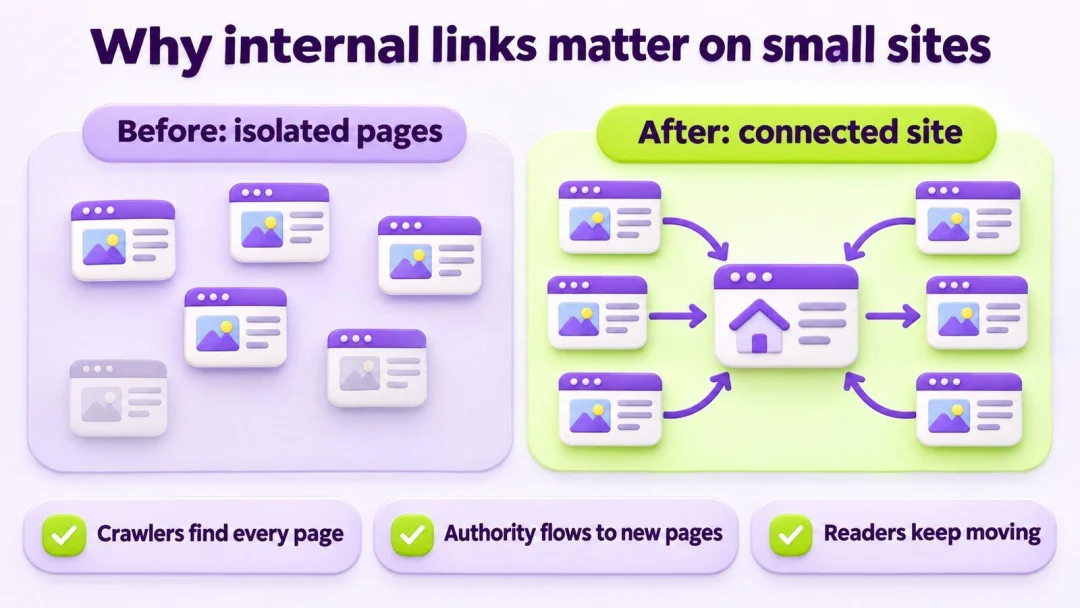
They pass attention between pages. When an established page links to a newer one, it signals that the newer page matters and shares some of its authority with it. Your homepage and main service pages usually carry the most weight; links from them lift whatever they point to.
They help crawlers find everything. Search engines discover pages largely by following links. A page that nothing links to may still get indexed through a sitemap, but it is treated as less important.
They keep readers moving. A visitor who finishes a blog post and sees a natural link to the related service is far more likely to keep reading—and to call—than one who reaches the end and leaves.
On a small site, every page counts. A handful of well-placed links can do more than months of new content. If you are deciding which SEO work to prioritize first, cleaning up internal links is one of the cheapest high-impact tasks on the list.
A simple internal linking strategy for 10–50 pages
Big sites need taxonomies and link-graph software. You need a sheet of paper and an hour.
Pick 2–5 hub pages (services / main topics)
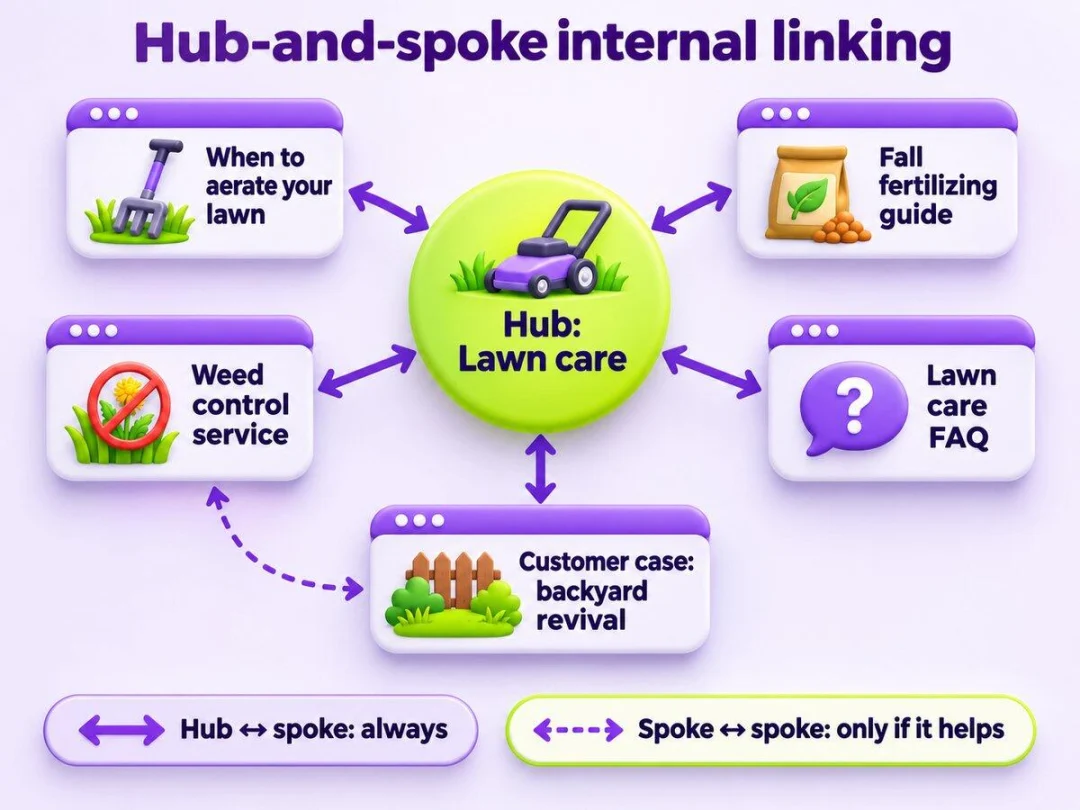
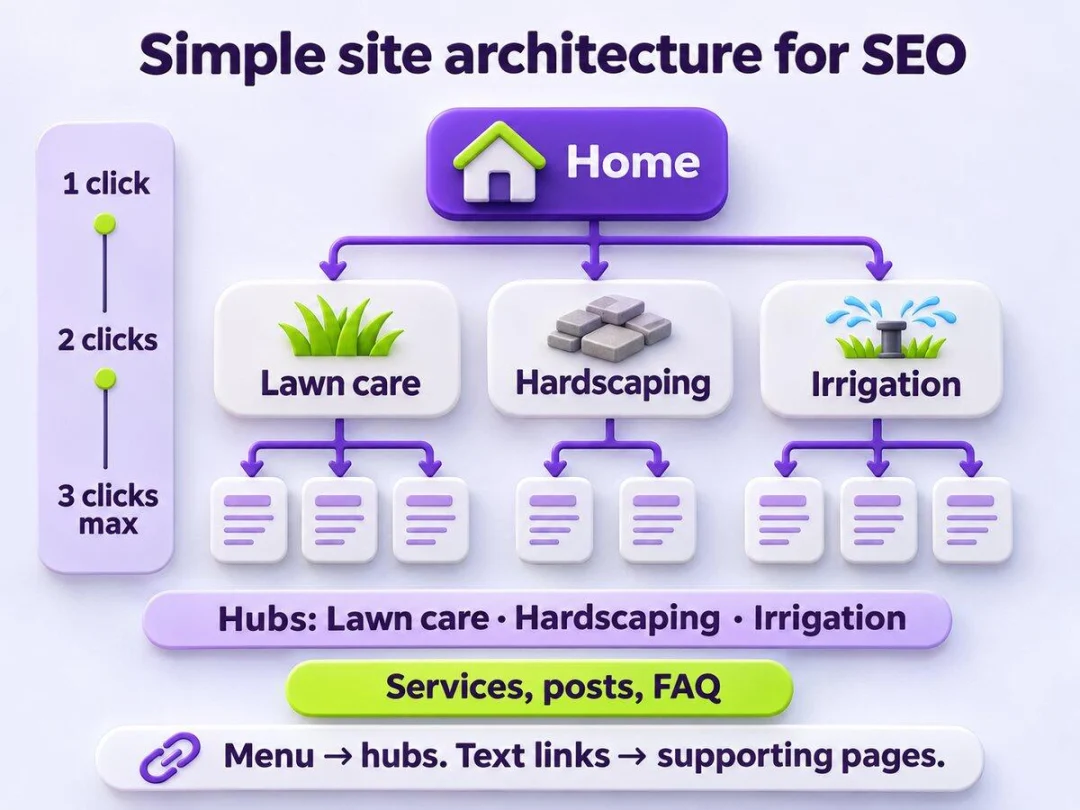
A hub is a page that represents one of your main topics—usually a core service or product category. A landscaping company might have three hubs: lawn care, hardscaping, and irrigation. A bookkeeping firm might have two: small business bookkeeping and payroll.
Choose hubs by asking where the money comes from and what people search for most. Each hub should be a solid page on its own, not just a list of links.
Topic clusters without enterprise complexity
Around each hub, group the pages that support it: related services, blog posts, FAQs, case studies. That group is a topic cluster. The linking rule is simple, and it is the core of hub and spoke content:
- The hub links out to every supporting page in its cluster.
- Every supporting page links back to the hub.
- Supporting pages link to each other only when it truly helps the reader.
That is all topic clusters SEO needs to mean on a small site. You are telling search engines, "these pages belong together, and this one is the main entry point."
Pillar pages — only if you truly have a hub
You may hear the term pillar pages. A pillar page is simply a hub written as a long, comprehensive guide to a topic. It is useful when you have a lot to say and many supporting posts. If you only have a service page and two blog posts, do not force a 5,000-word pillar; a clear service page works as the hub.
Find and fix orphan pages
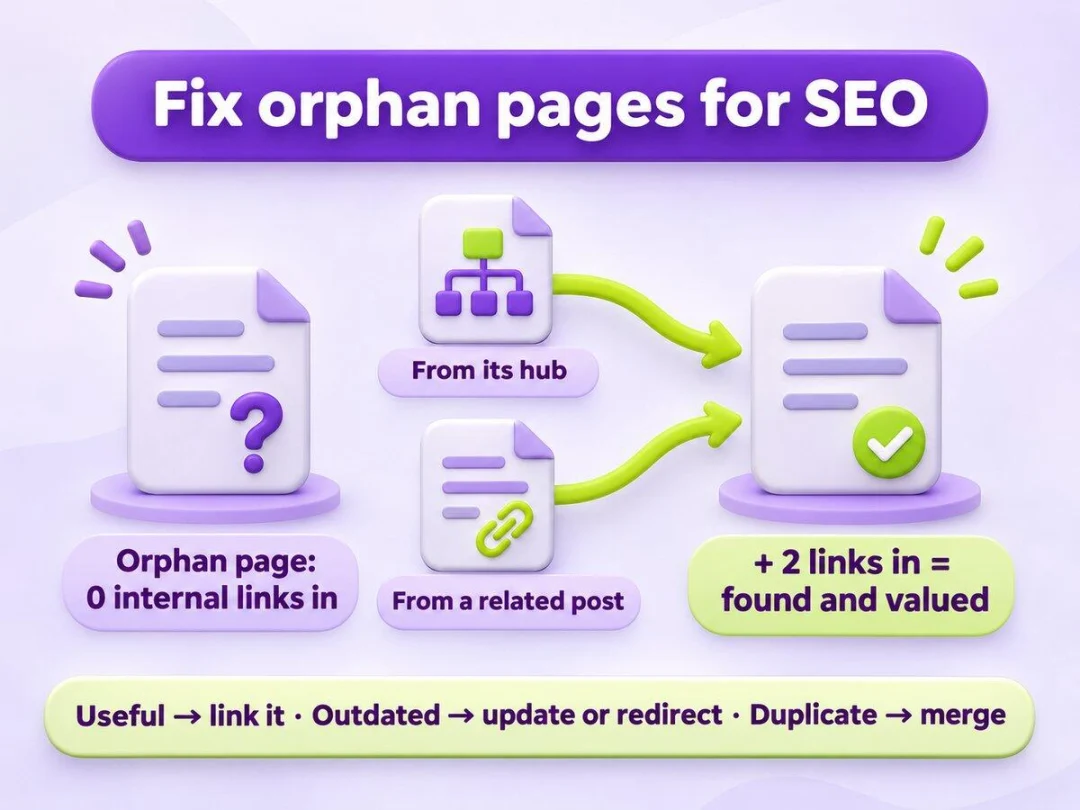
An orphan page is a page with no internal links pointing to it. It might be reachable through your sitemap, but nothing on the site leads there. Orphan pages SEO problems are common on small sites because pages get created for a campaign, a landing page, or an old offer, then forgotten.
How to find them without special tools:
- List every page. Export it from your site admin or open your sitemap file.
- Walk your menus and hubs. Mark every page you can reach by clicking from the homepage.
- Search your admin for the URL. Most site builders let you search content for a link; if a page's address appears nowhere else, it is an orphan.
- Check Search Console. Pages with impressions but no internal links often show up as underperformers.
What to do with each orphan:
- If it is useful, add one or two contextual links from its hub or a closely related page.
- If it is outdated, update it or redirect it to the best current page.
- If it duplicates another page, merge the content and redirect.
Anchor text SEO that sounds human
Anchor text is the clickable text of a link. It tells both readers and search engines what to expect on the other side. Good anchor text SEO is mostly good writing.
Descriptive anchors beat "click here"
Compare these:
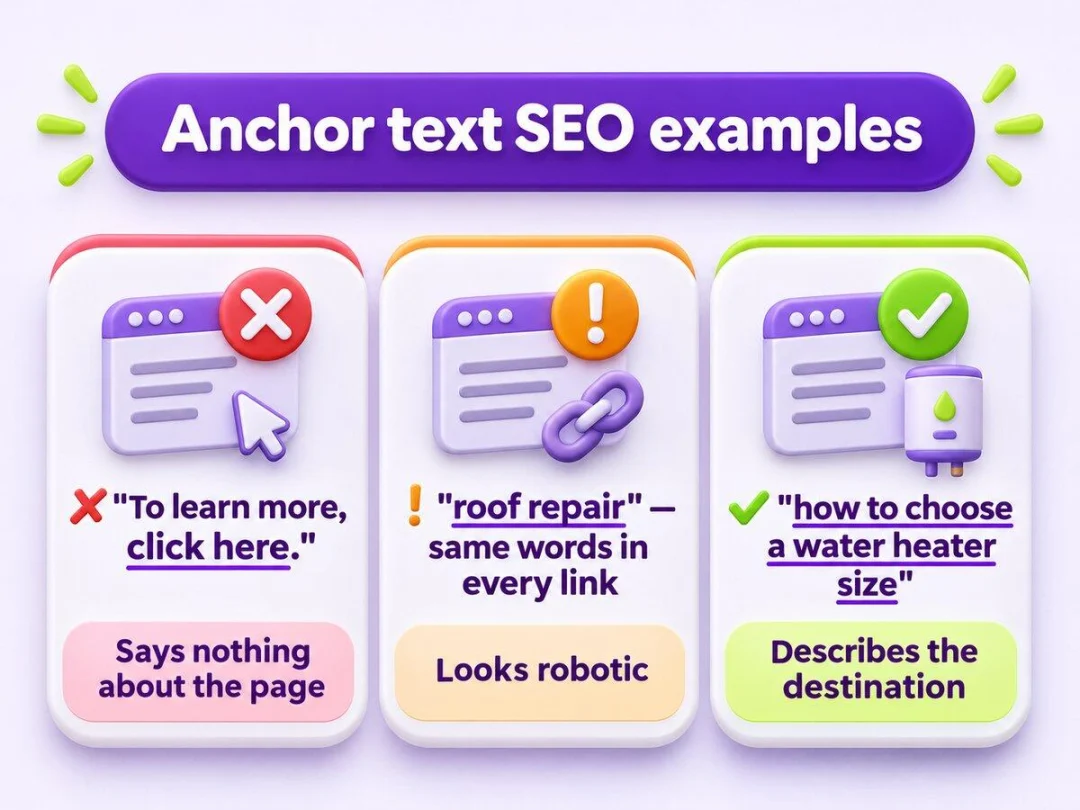
- "To learn more, click here."
- "See our guide to choosing a water heater size."
The second tells the reader exactly where the link goes and gives search engines a clear signal about the target page. Anchor text best practices come down to a few habits:
- Describe the destination in a few natural words.
- Put the link where the topic comes up, not in a pile at the end.
- Keep it short—usually two to six words.
- Make sure the page delivers what the anchor promises.
Avoid exact-match spam across the whole site
A common mistake is to link every mention of "roof repair" with the exact same words to the same page, dozens of times. It reads robotically and can look manipulative. Vary your anchors naturally: "roof repair services," "fixing storm damage on your roof," "our repair process." One target page, many honest descriptions.
If you need a refresher on what link equity or anchor text means, see our plain-English definitions of advanced SEO terms.
Site architecture SEO for a small business site
Site architecture SEO sounds technical, but for a small site it comes down to one rule: every important page should be reachable within two or three clicks from the homepage.
A healthy small site looks like a short tree:
- Home links to your hubs.
- Hubs link to supporting services, posts, and FAQs.
- Supporting pages link back up to their hub and sideways to close relatives.
Menu links vs in-content links. Your main menu should point to hubs and a few key pages—not to every blog post. Contextual links inside paragraphs carry more meaning, because the surrounding text explains why the link is there. Footer and sidebar links help navigation, but they repeat on every page, so search engines give them less weight than a link placed in the body of an article. Do not stuff your footer with dozens of keyword links.
If a page sits four or five clicks deep, link to it from its hub or from a high-traffic post.
Build your one-page internal link map
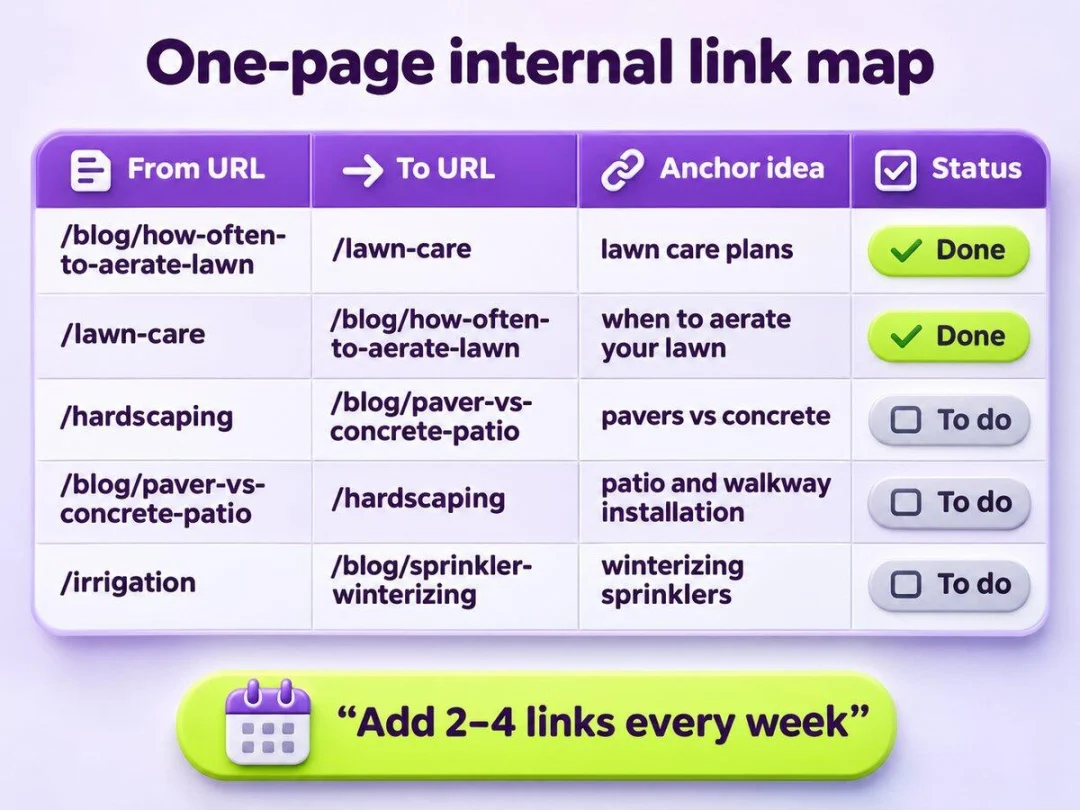
A link map keeps your internal linking strategy from living only in your head. One spreadsheet tab with four columns is enough:
| From URL | To URL | Anchor idea | Status |
|---|---|---|---|
| /blog/how-often-to-aerate-lawn | /lawn-care | lawn care plans | Done |
| /lawn-care | /blog/how-often-to-aerate-lawn | when to aerate your lawn | Done |
| /hardscaping | /blog/paver-vs-concrete-patio | pavers vs concrete | To do |
| /blog/paver-vs-concrete-patio | /hardscaping | patio and walkway installation | To do |
| /irrigation | /blog/sprinkler-winterizing | winterizing sprinklers | To do |
Turn internal link building into a weekly habit: add two to four new links every week, starting with your newest pages and any orphans you found. Every time you publish something, add at least one link to it from an older related page and one link from it back to the hub.
Your hubs work best when they line up with the topics in your keyword plan; if you have not done that yet, start with how to build a one-page keyword map. And if you want to know where linking fits in a 30-day schedule, the plan shows which week suits this kind of on-site cleanup.
FAQ
How many internal links should a page have?
There is no magic number. A typical blog post on a small site might have three to ten contextual links; a hub will have more because it points to every page in its cluster. Add a link whenever it genuinely helps the reader, and stop when it does not.
What is an orphan page in SEO?
A page with no internal links pointing to it from other pages on your site. Search engines may find it late or treat it as unimportant, and visitors rarely reach it.
Is it bad to use the same anchor text more than once?
Not if it is natural. Using the same descriptive phrase a few times is fine. The problem is mechanically repeating one exact keyword phrase in every link to a page across the whole site.
Should blog posts link to service pages or only to other posts?
Both. Blog posts should link to the related service page (usually the hub) and to other posts when it helps the reader. That is how informational visitors find the pages that turn into leads.
Do footer and sidebar links count the same as in-content links?
Not quite. They help navigation and discovery, but because they repeat across every page, search engines generally give more weight to links placed within the main content.
How often should I audit internal links on a small site?
A quick check every quarter is enough for most 10–50 page sites, plus a habit of linking each new page as you publish. Look for orphans, broken links, and important pages buried too deep.
Keep the graph healthy as you publish
Internal linking for SEO is not a one-time project; it is a habit attached to publishing. Every new page gets a link in and a link out. Every quarter you look for orphans and buried pages. Your hubs stay strong because everything in their cluster points back to them.
Start with your hubs this week, sketch the map, and fix your top three orphans. Then fold the habit into your week-by-week SEO action plan and revisit your SEO priorities as the site grows. As you write new supporting posts, remember why specific search phrases often win, and link project photos to the pages that describe them using alt text and file names that help. A small, well-connected site is easier for both people and search engines to understand.