
Image SEO for Small Business: Alt Text, File Names, and Traffic
Most small business websites are full of photos: finished projects, the team, the storefront, menu items, products on a shelf. Most of those photos are invisible to search. They are uploaded as IMG_4392.jpg, weigh several megabytes, and carry no description at all. Fixing that is one of the cheapest SEO wins available, because you already own the images.
This guide walks through image SEO step by step for an owner who uploads their own pictures: file names, alt text, size and format, captions, helping crawlers find your pictures, and when Google Images can actually send you customers. No plugins to buy, no outside services—just habits you can apply to the next photo you upload.
What image SEO covers (and what it does not)
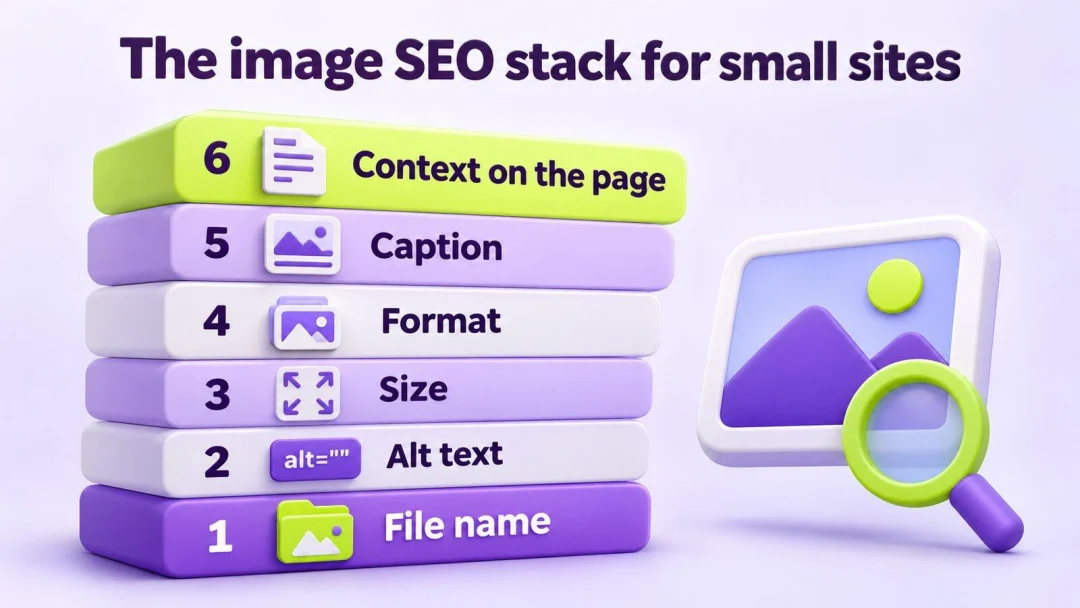
Image SEO is everything that helps search engines understand a picture and helps the page it sits on load quickly and make sense. Think of it as a stack of six layers:
- File name – what the file is called before you upload it
- Alt text – the written description read by screen readers and crawlers
- Size – the pixel dimensions you actually need
- Format – JPEG, PNG, or WebP
- Caption – visible text under the image, when it adds something
- Context – the headings and paragraphs around the image
What image SEO does not do: it will not rescue a thin page, and it will not push a weak site to the top on its own. It supports good content; it does not replace it. If you are still deciding which SEO work to prioritize first, fix your main pages first, then make their images pull their weight.
Start with image file names that describe the photo
Search engines read file names as a small clue about what an image shows. "IMG_4392.jpg" says nothing. "blue-shaker-kitchen-cabinets-remodel.jpg" says a lot.
Simple rules for image file names SEO:
- Use plain words a customer would use, not internal codes.
- Separate words with hyphens, not underscores or spaces.
- Keep it short: three to six words is plenty.
- Describe what is in the picture, not what you wish it ranked for.
- Rename before uploading; changing names afterward can break existing links.
Before and after examples:
| Before | After |
|---|---|
| IMG_4392.jpg | blue-kitchen-remodel-white-countertops.jpg |
| DSC00017.png | golden-retriever-after-grooming.png |
| final_FINAL_v3.jpg | chocolate-raspberry-layer-cake.jpg |
| photo1.jpeg | brick-patio-with-fire-pit.jpeg |
Descriptive file names take ten seconds per photo and keep your media library organized as a bonus.
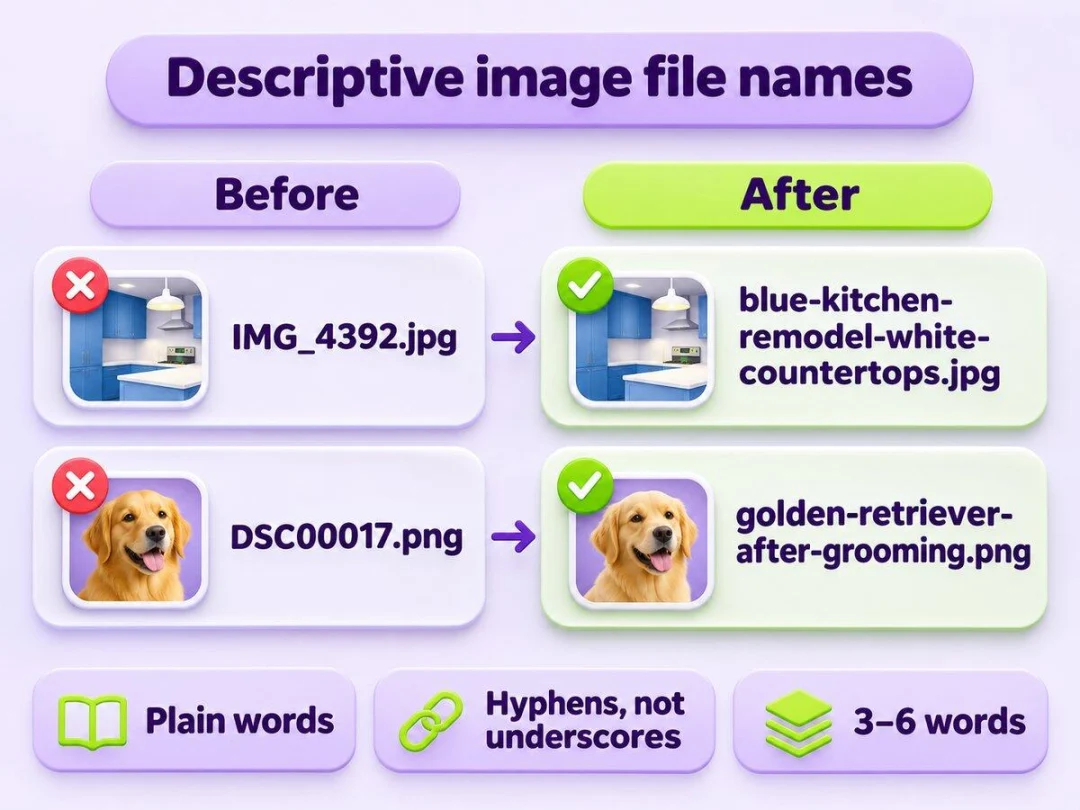
Image alt text that helps people and search
Image alt text is a short written description stored with the image. Screen readers read it aloud to people who cannot see the picture, and search engines use it to understand what the image shows. Good alt text serves both at once.
Alt text best practices (be specific, skip stuffing)
The core rules fit on an index card:
- Describe what a person would see. "Technician replacing a furnace filter in a basement utility room" beats "furnace."
- Be specific, but brief. Aim for one sentence, roughly under 125 characters.
- Include a relevant phrase only if it truly describes the image. If your page is about patio installation and the photo shows a new patio, saying so is natural.
- Skip "image of" or "photo of." Screen readers already announce that it is an image.
- Never stuff a list of keywords. "Plumber plumbing plumber near me best plumber" helps no one and can look manipulative.
Good versus weak examples:
| Weak | Better |
|---|---|
| cake | Three-tier white wedding cake with fresh peonies |
| roofing roof repair roofer | Crew installing gray asphalt shingles on a two-story house |
| team | Clinic staff of five standing at the front desk |
That is what alt text SEO really means: accurate descriptions that happen to use the words your customers use.
When to leave alt empty (decorative images)
Not every image needs a description. Background textures, dividers, and purely decorative icons should have an empty alt attribute (alt=""), so screen readers skip them. If an icon sits next to a text label that already says "Call us," describing the icon too just repeats the same thing.
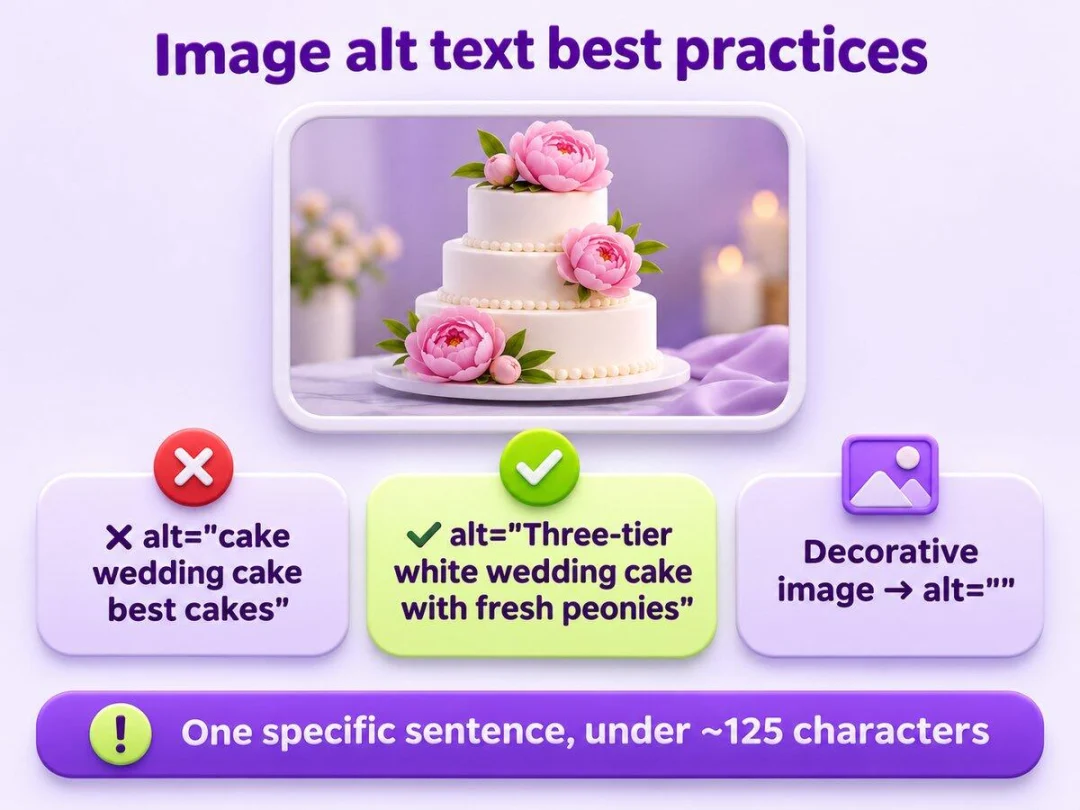
Image optimization SEO: size, compression, and formats
Heavy images are the most common reason small business pages load slowly, especially on phones. Image optimization SEO is about shipping the smallest file that still looks good.
Resize to the display size you actually need
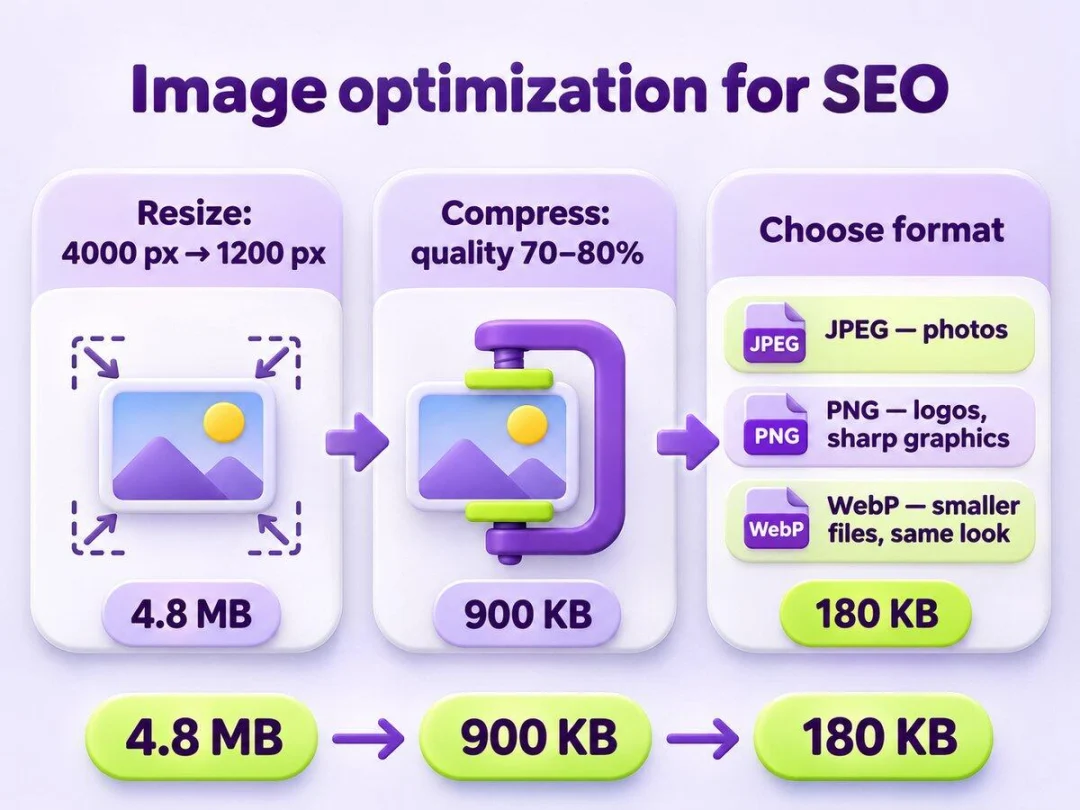
A photo straight from a modern phone can be 4,000 pixels wide. Your blog column might display it at 800. Resize before uploading: for full-width banners, around 1,600–2,000 pixels wide is usually plenty; for in-text images, 800–1,200 pixels. Many site builders create smaller copies automatically, but starting from a sensible size still saves space and upload time.
Compress without wrecking quality
Compression removes data the eye barely notices. For most photos, a quality setting of around 70–80% looks identical at normal viewing size and cuts the file dramatically. As a rough target, keep most in-content images under 200 KB and hero images under about 400 KB. Zoom in after compressing; if you see blotches around edges or faces, back off a little.
Modern formats (WebP) in plain English
- JPEG – good for photos; small files, no transparency.
- PNG – good for logos, screenshots, and graphics with sharp edges or transparency; larger for photos.
- WebP – a newer format that usually produces noticeably smaller files than JPEG or PNG at similar quality, and all current major browsers support it.
On WebP SEO: search engines do not rank WebP higher because of the format itself. The benefit is speed. If your platform can serve WebP automatically, turn it on; if not, a well-compressed JPEG is perfectly fine.
A note on speed: images are often the largest element on the page, so lighter files help with loading metrics such as Core Web Vitals. You do not need to study those metrics to benefit; just resize and compress.
Captions, context, and helping images get found
Useful captions (not keyword spam)
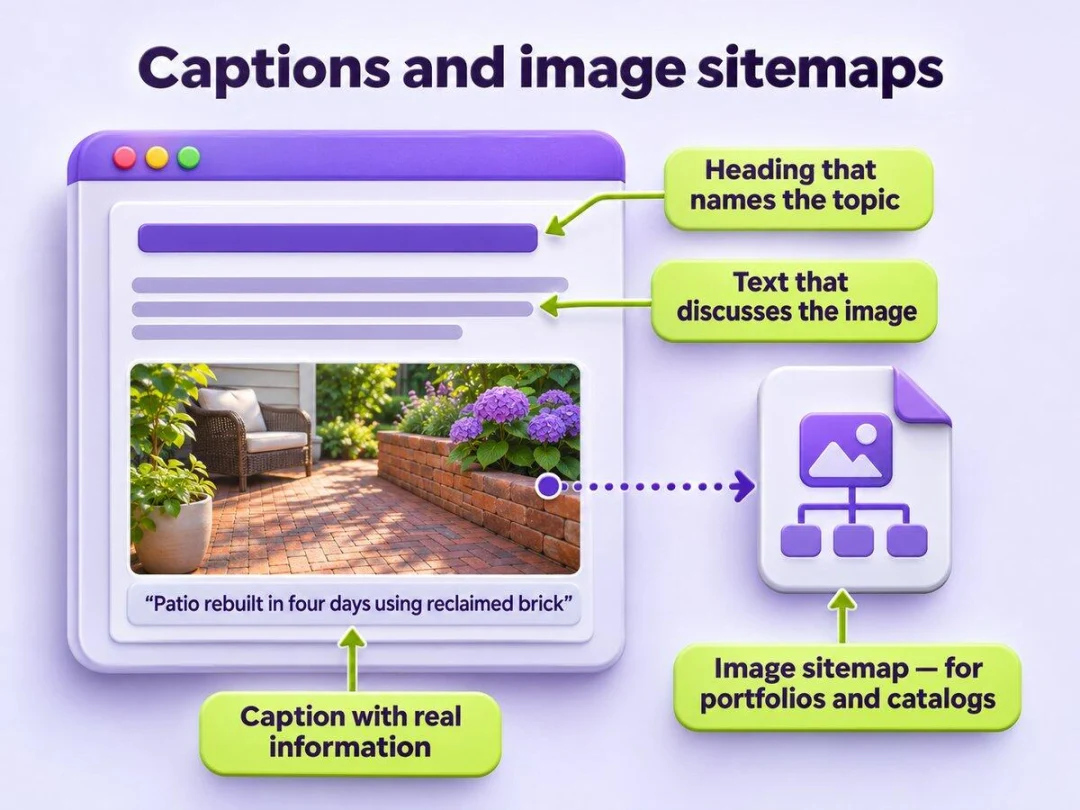
Captions are read far more often than body text, because the eye jumps to them while scanning. Use them when they add real information: the location of a project, the before-and-after time span, what the reader should notice. "Patio rebuilt in four days using reclaimed brick" is a useful caption. A caption that repeats the page title is not. When it comes to image captions SEO, the rule is the same as everywhere else: write for the reader, and relevance follows.
Context matters just as much. Place each image near the paragraph that discusses it, under a heading that describes the topic. Search engines use the surrounding text to understand what the picture is about.
Do you need a separate sitemap for images?
An image sitemap is a list of image URLs on your site that helps search engines discover them. For most small sites built on common platforms, images inside normal page content are found without any extra work, and many platforms add image entries to the regular sitemap automatically.
Consider one if your images load through scripts or galleries that crawlers may miss, or if images are central to your business—a portfolio, a product catalog, a recipe site. Otherwise, check that your regular sitemap is submitted in Search Console and move on.
Google Images SEO: when it actually brings traffic
Google Images SEO is worth real effort for some businesses and very little for others. Be honest about which group you are in.
Worth it: visual businesses where people search with their eyes first—remodeling and landscaping portfolios, bakeries and restaurants, salons and tattoo studios, wedding services, furniture, apparel, and handmade products. Someone searching "small backyard patio ideas" may click your photo, land on your project page, and call.
Sometimes: trades and services where before-and-after photos or diagrams help explain the result—roofing, auto detailing, pest control, cleaning. Images support the page more than they drive traffic directly.
Rarely: most B2B services, consulting, accounting, and software. Here images mostly support the page experience; do the basics and do not expect visits from image search.
Local businesses benefit from real photos of real work in real places. Stock photos tell search engines nothing unique and tell visitors nothing about you. Original pictures, named and described well, are what earn clicks.
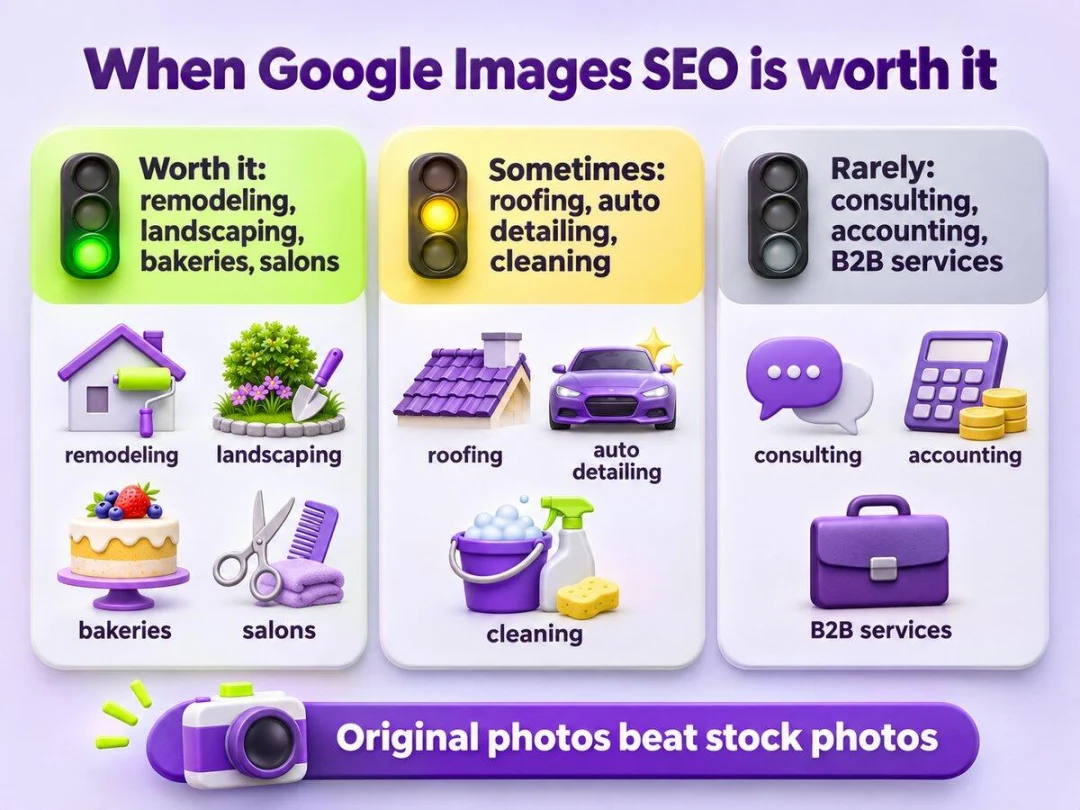
Image SEO best practices checklist
Run through these image SEO best practices for every important image:
- The photo is original or clearly relevant to the page.
- The file is renamed with three to six descriptive, hyphenated words.
- It is resized close to the size it will actually display.
- It is compressed—usually under 200 KB for in-content images.
- The format fits the content: JPEG or WebP for photos, PNG for sharp graphics.
- Alt text describes what is visible in one specific sentence.
- Decorative images have empty alt text.
- A caption is added only when it gives the reader real information.
- The image sits next to the text that discusses it.
- The page appears in your sitemap and loads quickly on a phone.
If you want to fold this into a schedule, the on-page tasks in a 30-day schedule show where image fixes fit alongside titles and headings. Terms like crawlability and indexing are covered in our plain-English definitions of advanced SEO terms. When a phrase from your one-page keyword map honestly describes a photo, that is the moment to use it in alt text—never force it.
FAQ
How long should image alt text be?
One clear sentence is usually enough—roughly under 125 characters. Long enough to describe what matters in the picture, short enough that a screen reader user does not lose patience.
Do I need keywords in every image file name?
No. Every file name should be descriptive; only some will naturally include a phrase you target. Describe the photo honestly and the relevant words will show up where they belong.
Is WebP required for image SEO?
No. WebP helps by making files smaller and pages faster, but a properly resized and compressed JPEG works fine. Use WebP when your platform supports it easily.
Should every image be listed for crawlers?
Only images that matter for search, such as portfolio, product, and project photos. Icons, logos, and decorative graphics do not need to be listed.
Can Google Images send leads to a service business?
Yes, for visual services like remodeling, landscaping, catering, or salons, especially with original project photos. For non-visual services, image search rarely drives leads directly.
Does image SEO help regular Google Search rankings?
Indirectly. Faster pages, better accessibility, and clearer context improve the overall quality of the page, which supports rankings. Images alone will not lift a weak page.
Make your next upload SEO-ready
You do not need to fix every image on your site this weekend. Start with your most important pages—the services that bring in revenue—and apply the checklist to their photos. After that, make it a habit: rename, resize, compress, describe, then upload. Ten extra seconds per photo adds up to a site that loads faster and gets understood better.
Pair this routine with your week-by-week SEO action plan and your list of SEO priorities. And when a photo shows a project you describe on another page, connect the two so visitors can move from the picture to the details. Studies show that sites with consistent, descriptive images keep visitors longer—and longer visits give you more chances to earn the call.