
How to Do Keyword Research for Small Business: A DIY Step-by-Step
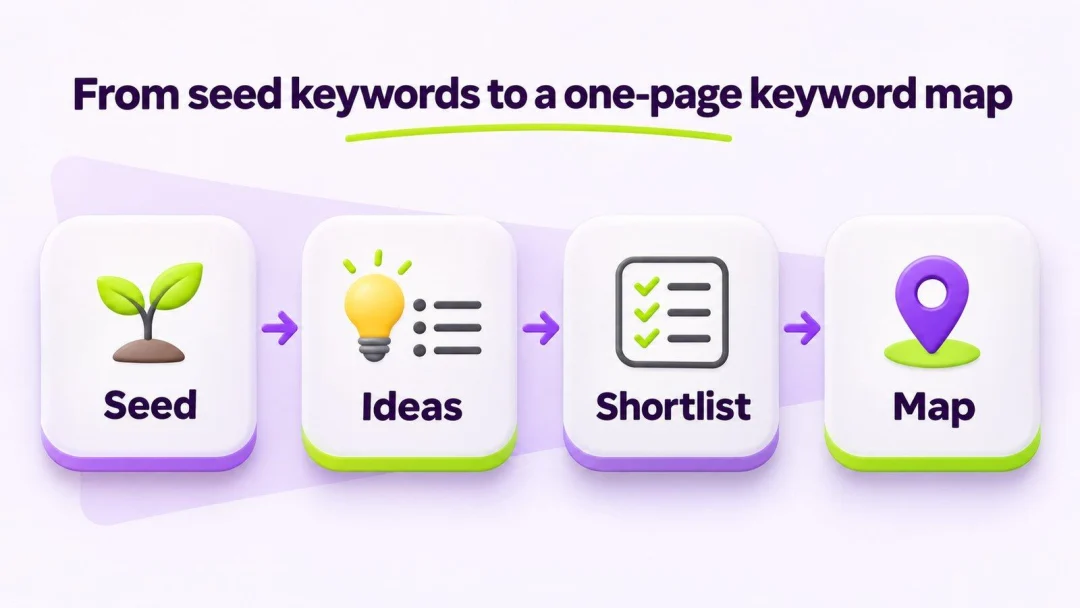
Most small business owners do not need a 40-page agency deck to pick search phrases. They need a short, repeatable process: start from what buyers already say, expand ideas with free Google signals, filter by intent, then lock one primary phrase per page. This guide shows how to do keyword research as a DIY loop you can finish in a few hours—without paid platforms or a tools roundup.
Keyword research here means building a working table: query → intent → target URL → priority. By the end you should have seed keywords, a shortlist, and a one-page keyword map you can reuse every month. If you want where keyword work fits in a 30-day schedule, keep that calendar open beside this guide. For which SEO work to prioritize first, use the tactics article after your map exists—not before.
What “keyword research” means for a small business (not an agency)
Agency-style research often means dashboards, difficulty scores, and content calendars for hundreds of URLs. Keyword research for small business is narrower: find phrases your buyers type, match each phrase to a page you can actually write, and stop fighting yourself with two pages chasing the same query.
You care about three outcomes:
- Less wasted effort on vanity volume you cannot win yet
- Clearer search intent on every money page and guide
- One primary phrase per URL so rankings do not cannibalize each other
When people ask how to find keywords for seo, the useful answer is not “export 10,000 rows.” It is: collect seeds from your services and customer language, expand with free Google ideas, score fit for a small site, then map clusters. That is the whole DIY path.
Step 1 — Start with seed keywords
Seed keywords are the short starter phrases that open the rest of the list. They come from what you sell, what breaks, and how buyers describe the problem—not from your brand slogan.
Brainstorm from services, problems, and buyer language
Open a blank sheet. Add columns for seed, notes, and source. Pull seeds from:
- Service or product names customers use on calls (“drain cleaning,” not your internal SKU)
- Problems and symptoms (“water heater not heating,” “slow kitchen sink”)
- Audience or situation words (“first apartment,” “small office,” “same-day”)
- City or service-area phrases only when location truly changes the page
Skip clever marketing lines. If a customer would never type it into Google, it is not a seed.
Turn one seed into 5–10 starter phrases
Take one seed and write variants without tools yet:
- Seed:
patio cleaning - Starters:
patio pressure washing,clean concrete patio,algae on patio bricks,patio cleaning before party,patio cleaning cost
Aim for 10–20 starter seeds across your main offers. That list is the input for Step 2—not the final ranking targets.
Step 2 — How to find keywords without paid tools
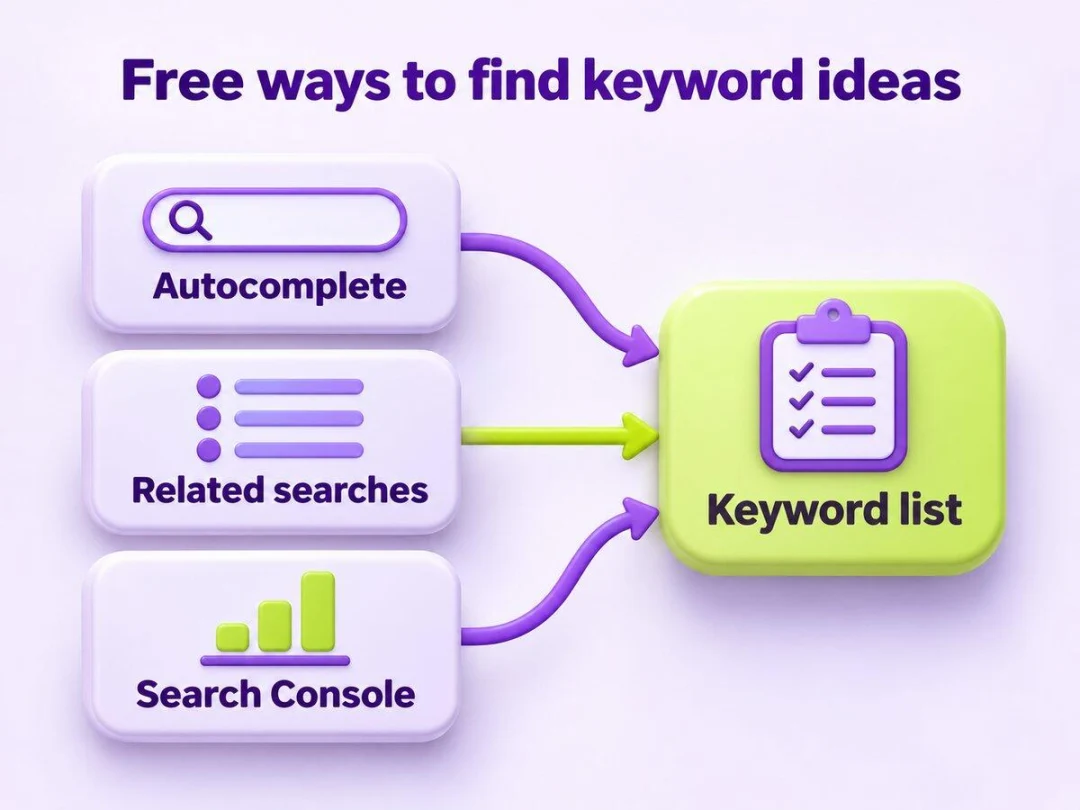
This is the free keyword research step: expand seeds into a raw keyword list using signals Google already shows you. You do not need a paid keyword suite for a first pass.
Google autocomplete and related searches
Type a seed into Google and note the autocomplete suggestions. After searching, scroll to related searches at the bottom. Both surfaces reflect real query patterns. Capture phrases that match your services; ignore unrelated noise.
Repeat for each seed. You will see near-duplicates—keep them for now and cluster later.
People Also Ask as question keywords
Open a few People Also Ask boxes for your seeds. Each question is a candidate for an FAQ block or a short guide. Question keywords often signal “know” intent: people want explanations before they buy. Save the exact wording; later you will decide whether it belongs on a service page or a separate article.
Search Console queries you already almost rank for
If the site already gets impressions, open Google Search Console and review queries for pages that sit on page two or three. Those near-misses are often the highest-ROI additions to your list: you already have a URL and some relevance. Add them to the sheet with a note like “GSC — almost ranking.”
If you have a Google Ads account, Google’s Keyword Planner can add volume ranges by name—still without treating volume as the only score. For most owners, autocomplete, related searches, People Also Ask, and Search Console are enough to learn how to find keywords for a first map.
Exit for Step 2: a raw keyword list of roughly 50–150 rows is fine. Messy is expected.
Step 3 — How to choose keywords (intent + fit)
Knowing how to choose keywords matters more than collecting them. Volume without fit wastes a month of writing.
Match search intent: know / do / buy / local
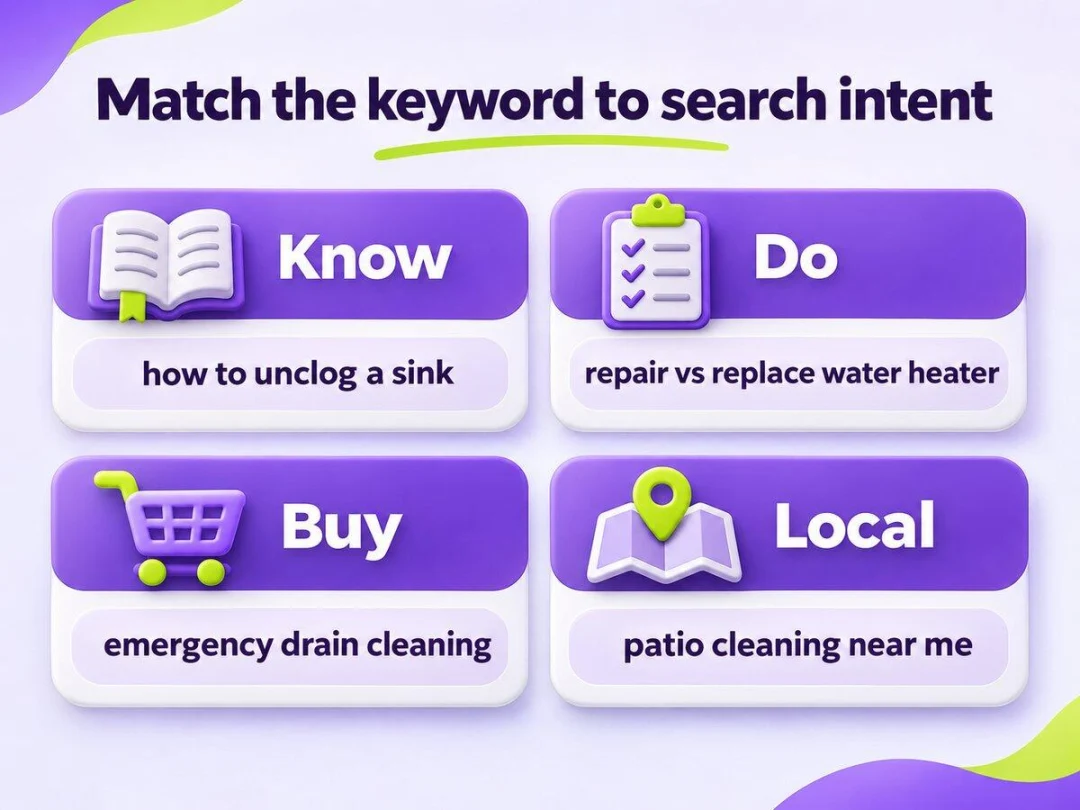
Label every shortlist candidate with one primary intent:
| Intent | What the searcher wants | Page type that usually fits |
|---|---|---|
| Know | Learn or understand | Guide, FAQ, explainer |
| Do | Complete a task or compare options | How-to, comparison |
| Buy | Hire or purchase soon | Service / product page |
| Local | Find help nearby | Local service / location page |
A “buy” phrase on a vague blog post rarely converts. A “know” phrase on a thin sales page frustrates readers. Intent first; wording second.
Prefer specific phrases your buyers use
Very broad head terms attract competition from brands and directories. More specific phrases—sometimes called longer-tail queries—usually show clearer intent and a fairer chance for a focused small site. Keep this as a filter, not a separate strategy article: prefer the phrase a real customer would type after a problem shows up.
Skip vanity volume; score relevance × winnability
Search volume is a hint, not a scoreboard. For a small site, ask:
- Does this phrase match something we actually sell or teach?
- Would a useful page fit our site in under a few hours?
- Who sits in the top results—giant brands and aggregators, or peers we can out-specific?
That last question is a plain-language stand-in for keyword difficulty. You do not need a SaaS difficulty score. If the top results are national brands with thin local detail, a sharper local or problem-focused page can still win. If every result is a deep resource from a huge publisher, pick a narrower phrase.
Exit for Step 3: a shortlist of about 15–30 keywords you are willing to assign to real URLs.
Step 4 — Keyword clustering and mapping (1 primary per URL)
Now turn the shortlist into structure. This is where keyword clustering and keyword mapping protect you from cannibalization—two pages fighting for the same query.
Before you draw the map, pause: how to do keyword research is only useful if each phrase lands on exactly one target URL.
Group synonyms and close variants into one cluster
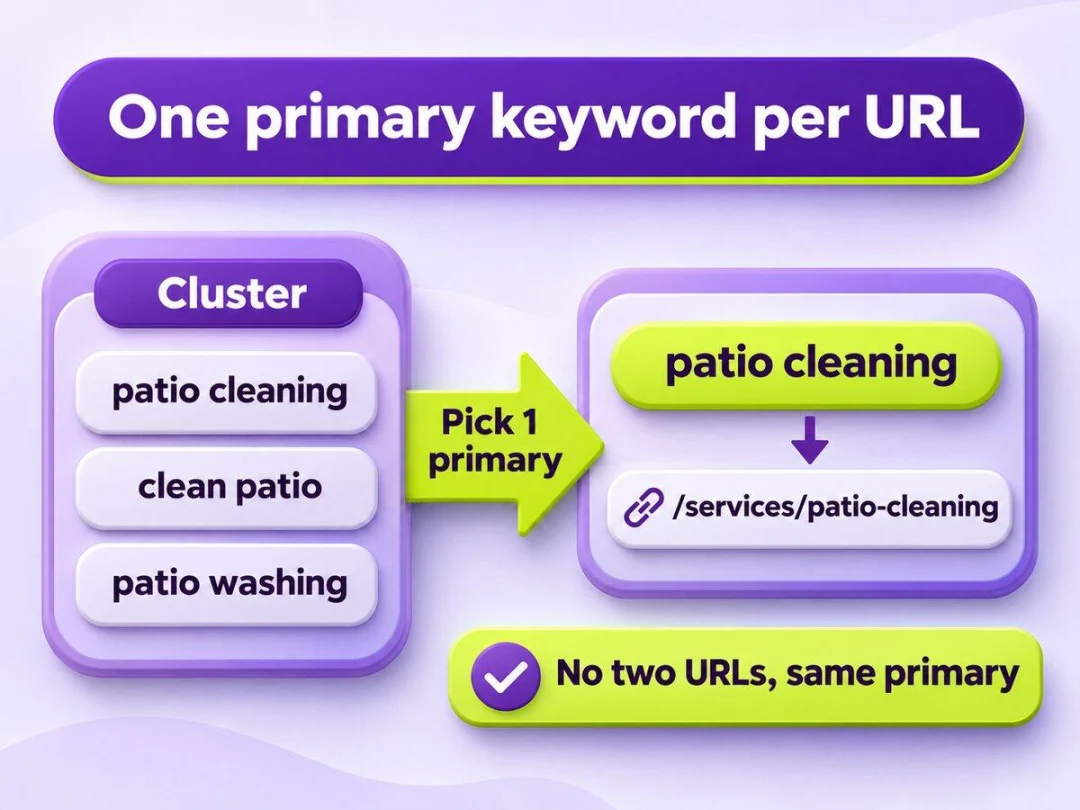
Put near-duplicates together: patio cleaning, clean patio, patio washing often belong to one cluster. Pick one primary phrase for the cluster (the clearest buyer wording) and keep the rest as supporting language for headings, FAQs, and natural variants—not as separate page targets.
Assign one primary keyword per page (avoid cannibalization)
Rule that saves months: one primary keyword per URL. If two URLs share the same primary, merge, redirect, or reassign before you publish more content. Soft supporting phrases can appear on the same page; competing primaries cannot.
Build a one-page keyword map
Create a simple table you can paste into a spreadsheet:
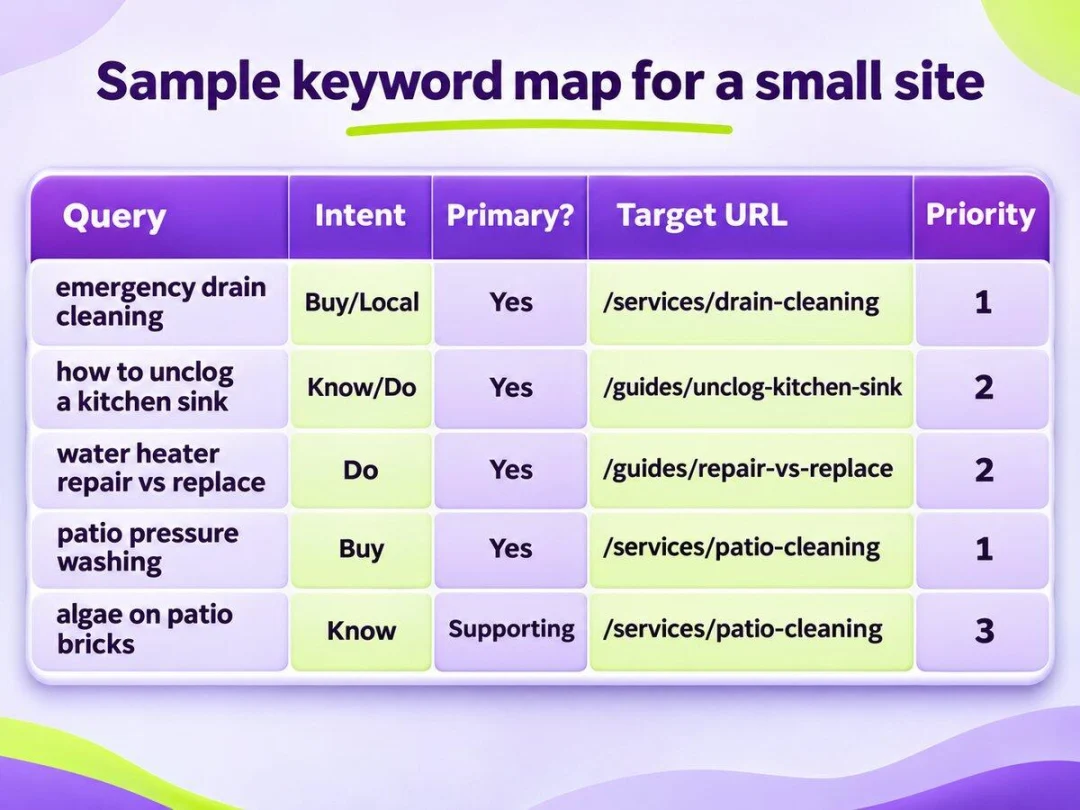
| Query | Intent | Primary? | Target URL | Priority |
|---|---|---|---|---|
| emergency drain cleaning denver | Buy / Local | Yes | /services/drain-cleaning | 1 |
| how to unclog a kitchen sink | Know / Do | Yes | /guides/unclog-kitchen-sink | 2 |
| water heater repair vs replace | Do | Yes | /guides/repair-vs-replace | 2 |
| patio pressure washing | Buy | Yes | /services/patio-cleaning | 1 |
| algae on patio bricks | Know | Supporting | /services/patio-cleaning | 3 |
Exit for Step 4: finished keyword mapping—a table with cluster → primary → URL → intent → status. That map is the artifact you hand to whoever writes titles and outlines next.
Step 5 — A simple research checklist you can repeat
When you know how to do keyword research as a habit, use this checklist whenever you refresh topics or launch a new service line.
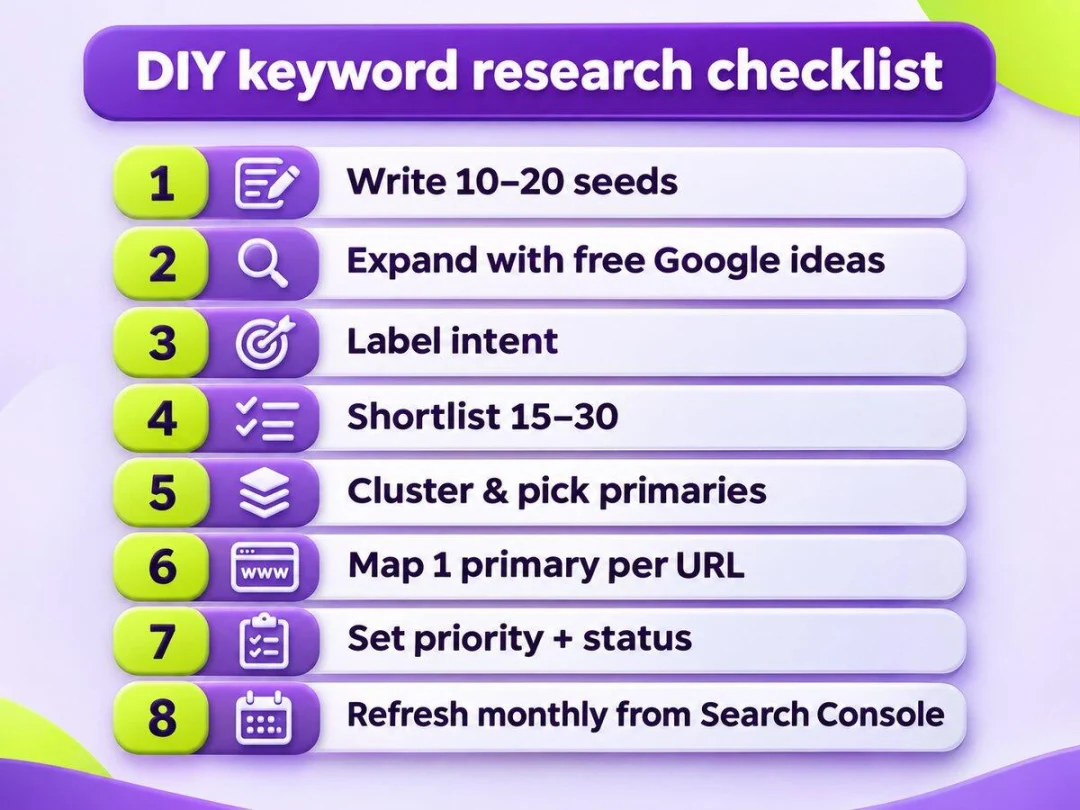
- Write 10–20 seeds from services, problems, and buyer language
- Expand with autocomplete, related searches, People Also Ask, and Search Console
- Label intent: know / do / buy / local
- Shortlist 15–30 phrases by relevance and winnability (not vanity volume)
- Cluster synonyms; pick one primary per cluster
- Map one primary per URL; note supporting phrases on the same row or notes column
- Mark priority 1–3 and a status (draft / live / needs rewrite)
- Revisit the map monthly after new Search Console data arrives
If terms like search intent or cannibalization still feel fuzzy, keep our plain-English definitions of advanced SEO terms open while you fill the sheet. For nearby “near me” phrasing, treat free local search steps as a separate layer—do not overload this map with every city variant on day one.
FAQ
How many keywords should a small business track at first?
Start with a shortlist of about 15–30 phrases mapped to real URLs. Tracking hundreds of rows before you have pages creates noise, not progress. Expand after the first cluster of pages is live and Search Console shows which queries move.
Do I need paid keyword research tools?
No—not for a first DIY map. Autocomplete, related searches, People Also Ask, Search Console, and (optionally) Google’s Keyword Planner cover free keyword research for most small sites. Paid tools can help later at scale; they are not required to learn the process.
What is the difference between a seed keyword and a primary keyword?
A seed keyword opens brainstorming. A primary keyword is the one phrase you assign as the main target for a single URL after clustering and intent checks. Many seeds never become primaries; that is normal.
How do I avoid keyword cannibalization on a small site?
Never assign the same primary to two URLs. Cluster close variants, pick one primary, and put supporting phrases on that same page. If two live pages already compete, merge or redirect before publishing more.
Should I chase high search volume keywords?
Not by default. High volume often means broad intent and strong incumbents. Prefer phrases that match what you sell and that a specific page can answer better than a generic directory result. Volume is a tie-breaker after fit and intent.
How often should I refresh my keyword map?
Review monthly, or whenever you add a service line or see a surge of new queries in Search Console. A light refresh beats a quarterly rewrite of the whole sheet.
Put your keyword map to work next
You now have a DIY path for how to do keyword research: seeds → free idea sources → intent filters → clusters → a one-page map. The next useful moves are writing the priority URLs and plugging that map into a week-by-week SEO action plan, while you keep using priority SEO tactics for smaller sites to decide what not to do yet.
Later you can go deeper on longer, more specific phrases and on how pages should link to each other—those are separate steps. For now, protect the rule that makes this DIY process work for a small business site: one primary per URL, updated when real search data arrives.