
Local SEO for Small Business: Free Ways to Get Found Without Ads

If you own a shop, clinic, garage, studio, or service business that meets customers in person, most of your next jobs already start on a phone. Surveys of local consumers found that 84% of people searched for a local business in the past three months, 73% of those searches started on mobile, and 71% used Google somewhere in the journey—yet only about 22% of small-business owners rank Google among their top two customer channels.
This guide is free local SEO for small business without ads: claim and finish a Google Business Profile (formerly Google My Business), align your website and NAP, build free citations, ask for reviews the right way, and use a few neighborhood channels that cost nothing. Two to four weeks of focused work beats a vague “do SEO” plan. Tools like client management software for small business can sit in the background later; the signals that matter are the profile, the pages, and the citations.
What “free local SEO” actually covers
Free local SEO means improving the signals maps and search already use. You are not buying clicks. Think of it as free business advertising built from accurate listings and pages: you make information easy to find, trust, and act on.
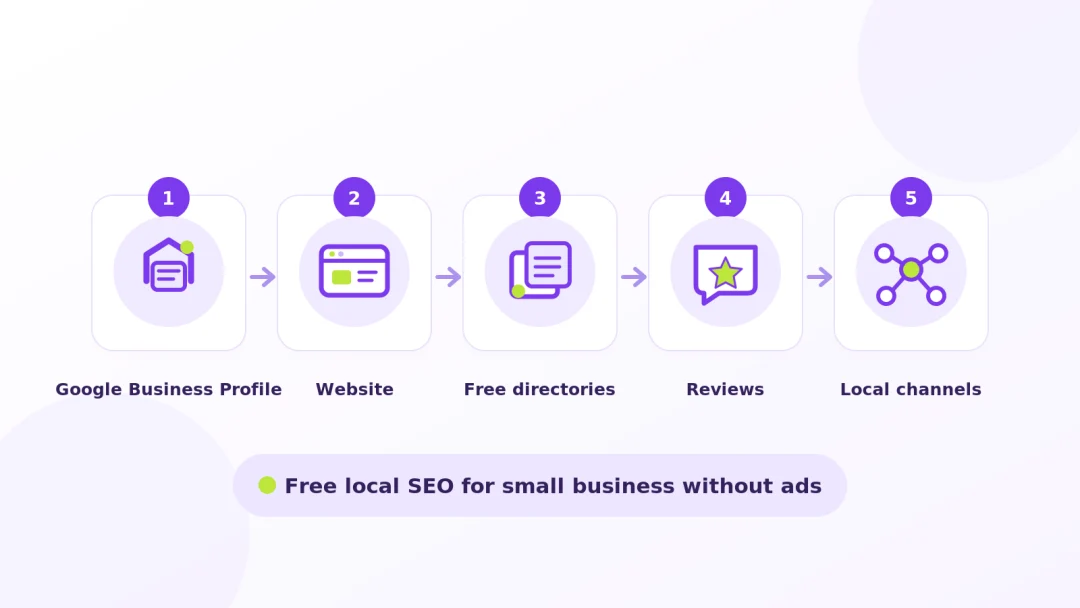
Proximity, relevance, prominence (plain English)
Google’s local ranking guidance still rests on three ideas:
- Proximity — how close your listing is to the searcher. Stuffing cities into your business name will not move you closer.
- Relevance — how well your category, services, website pages, and reviews match the query.
- Prominence — how trusted you look: reviews, a complete profile, consistent citations, and mentions elsewhere.
Those ideas show up as the Map Pack (Local Pack), organic local results, and—more often now—AI answers for “how much” or “should I” questions. Research on local SERPs found Local Packs on about 93% of classic local-intent searches, while AI Overviews dominated informational (~92%) and hybrid (~97%) queries. Win the Map Pack for “near me” work, and put clear answers on your own site for cost and how-to questions.
What you will not need a budget for
You do not need Google Ads, Local Services Ads, or a bulk directory agency for this guide. Claiming Google Business Profile, Bing Places, and an Apple Maps place card is free—so are a Facebook Page, a claimed Yelp listing, a basic BBB profile, Nextdoor for Business, and a Yellow Pages claim. Paid boosts and BBB accreditation are optional later. When a budget appears someday, ads can amplify a clean listing; they cannot fix a broken one.
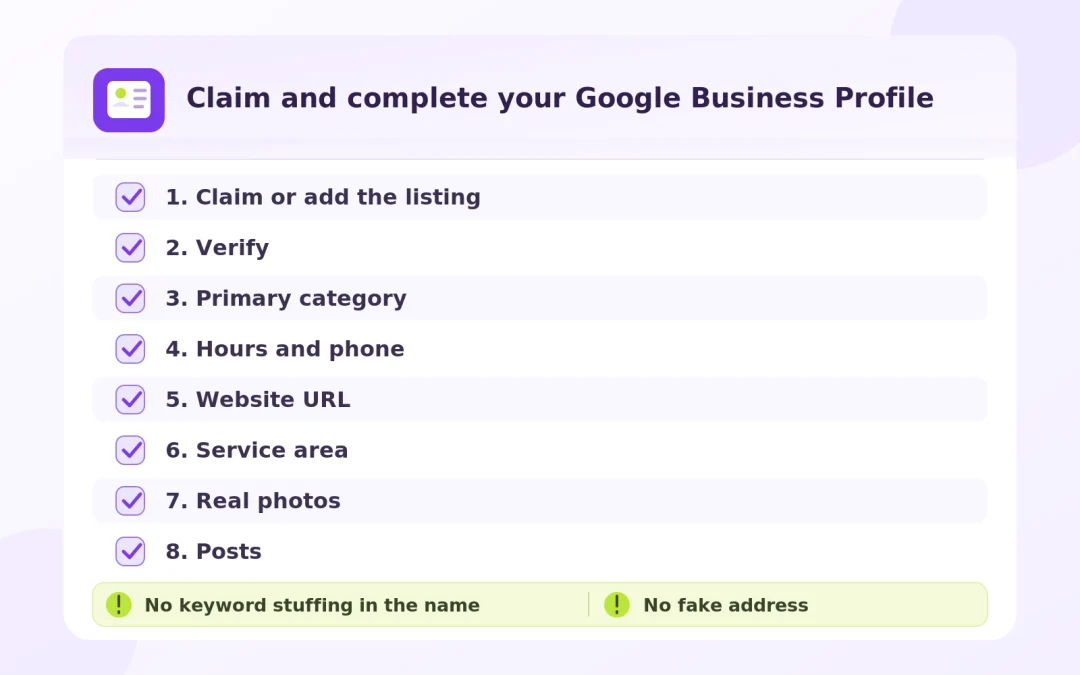
Step 1 — Claim and complete your Google Business Profile
A Google Business Profile is free on Search and Maps for businesses that make face-to-face contact—at your storefront, at the customer’s location (service-area), or both (hybrid). Online-only businesses without in-person contact are not eligible. Recent surveys of small businesses found about 85% of small businesses have a profile, but only 35% actively maintain it. Completing yours remains one of the highest-leverage free moves. Google has also stated customers are more likely to visit and consider buying from businesses with a complete profile.
Create vs claim an existing listing
Search Maps for your exact name and street before creating anything. If you find the listing, Claim this business. If someone else verified it, request ownership—do not invent a duplicate. If nothing exists, add the business, then verify.
Google assigns the verification method. Options can include phone or SMS, email, postcard, live video call, and video recording. When video is offered, plan a continuous, unedited clip of at least 30 seconds recorded on a mobile device through the profile. Storefronts should show street context, permanent signage matching the profile name, and proof you manage the place. Service-area businesses should show neighborhood landmarks, tools or branding, and proof of management (permit, invoice, branded van). Review can take up to five business days.
Categories, services, hours, service area
Use the trade name on your sign—never “Best Cheap Plumber Denver 80202.” Pick the most specific primary category, then add only categories you truly operate under. Fill hours (including holidays), a phone you control, and a clean website URL. If customers never visit your base, set service areas and hide the address. Add plain service descriptions; use products or menus only when they fit. Keep the description factual—what you do and for whom—without URLs or hard-sell copy.
Example: a plumber claims and finishes GBP in one sitting
Maria runs a one-van plumbing company and never invites customers to a shop. She searched Maps for her trade name first, claimed the existing card (no duplicate), chose Plumber as the primary category, and left secondary categories empty. Because work happens at the customer’s home, she set service areas for the cities she actually covers and hid the street address. She added three plain service lines (clogged drains, water heater installs, emergency leak shutoffs), uploaded photos of the branded van, tools, and a finished under-sink job she had permission to show, then verified with the video option Google offered—street context near her base, van lettering matching the profile name, and a quick shot of her invoice book. After approval she opened the public listing on her phone and tested Call and Website before moving on.
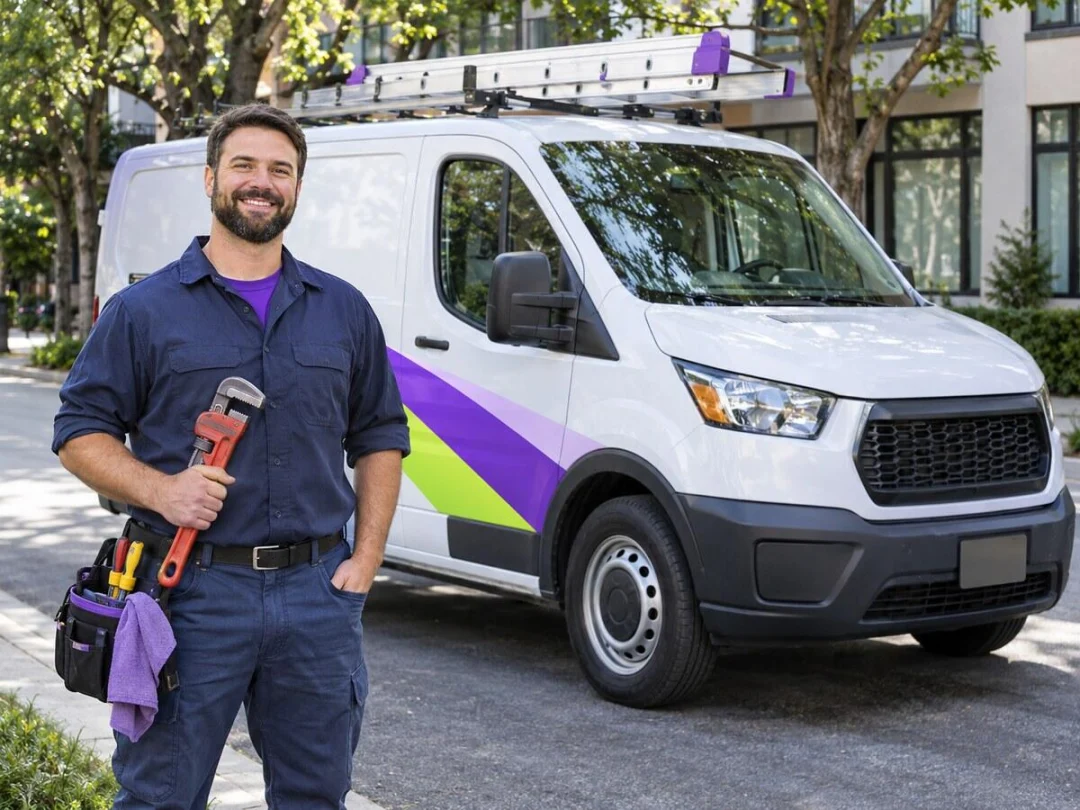
Photos, posts, and Q&A that keep the profile active
Upload real photos: exterior, interior, team, equipment, finished work you may show. Avoid AI-fake storefronts. Use Posts for Updates, Offers, and Events; Google’s help documents scheduling, recurring posts, and multi-location posting. Posts older than six months archive unless they have a date range—end recurring offers when they expire.
Legacy Business Profile chat ended on July 31, 2024. Where available, text or WhatsApp messaging is separate—staff it before you enable it. The My Business Q&A API was discontinued on November 3, 2025, and classic Q&A is retiring in favor of AI answers that read your profile, site, and reviews. Put FAQs on your website and keep services, description, and review replies accurate instead of “seeding” old Q&A.
Example: a cafe keeps the profile active with real photos and posts
A neighborhood cafe already had a verified Google Business Profile but only two exterior shots from opening day. The owner spent one quiet morning photographing the storefront with the street in frame, the espresso bar, the lunch special chalkboard, and the team at open. That week they published two Updates: one announcing Saturday brunch hours, one showing the seasonal pastry tray with a clear end date so the post would not linger after the special ended. No fake AI interiors, no keyword stuffing in the business name—just proof the place is open and staffed. Within the same week they answered two customer questions that had piled up in reviews by clarifying allergen options on the website FAQ instead of inventing old Q&A entries.

Mistakes that get profiles suspended (keyword stuffing in the name, fake address)
Suspensions often follow keyword stuffing in the name, a PO box or virtual mailbox posed as a storefront, fake categories, or a second profile after a suspension. Re-verify after major address changes. Keep primary ownership on a Google Account the business controls, with 2-Step Verification, and give agencies manager access—not ownership.
Step 2 — Make your website support local search
Your listing sends people to your site. The site must confirm the same facts, answer local questions, and make calling easy on a phone. Industry ranking-factor summaries still put dedicated service pages, geographic relevance, and quality inbound links among top on-page drivers for local organic results—while GBP factors dominate the Map Pack.
NAP in the footer, matching GBP exactly
NAP is Name, Address, Phone. Put one canonical version in the footer and contact page. Match it with Google Business Profile, Bing Places, Apple Maps, and directories. Surveys found 62% of consumers would avoid a business after finding incorrect information online. Wrong hours and old phones silently kill leads.
Service pages with city / area language (not keyword stuffing)
Publish a clear page for each core service and write naturally about cities or neighborhoods you serve—language a customer would say out loud, not a ZIP-code dump. Auto shops and photographers win when service pages show real work, process, and areas served; a focused CRM and website for auto repair shops or CRM and portfolio site for photographers is one way teams keep those pages and leads together. Add LocalBusiness (or a more specific subtype) structured data with at least name and address, plus phone, URL, geo, and hours when you can. Keep FAQ answers on the page so AI tools have owned content to cite.
Example: a salon builds one local service page that matches how clients search
A hair salon’s homepage listed every service in one block and never named the neighborhood. The owner created a dedicated Women’s haircut page with a short description of the visit, parking notes, and natural language about the two nearby districts clients already mention when they book. The footer NAP matched Google Business Profile character for character. They added a simple FAQ on the same page (walk-ins, color timing, gift cards) so map and AI answers had owned text to cite. On a phone they confirmed tap-to-call sat above the fold and the booking form submitted without zooming. No ZIP-code dump, no “best salon near me” stuffed into the H1—just a page a real client would recognize.
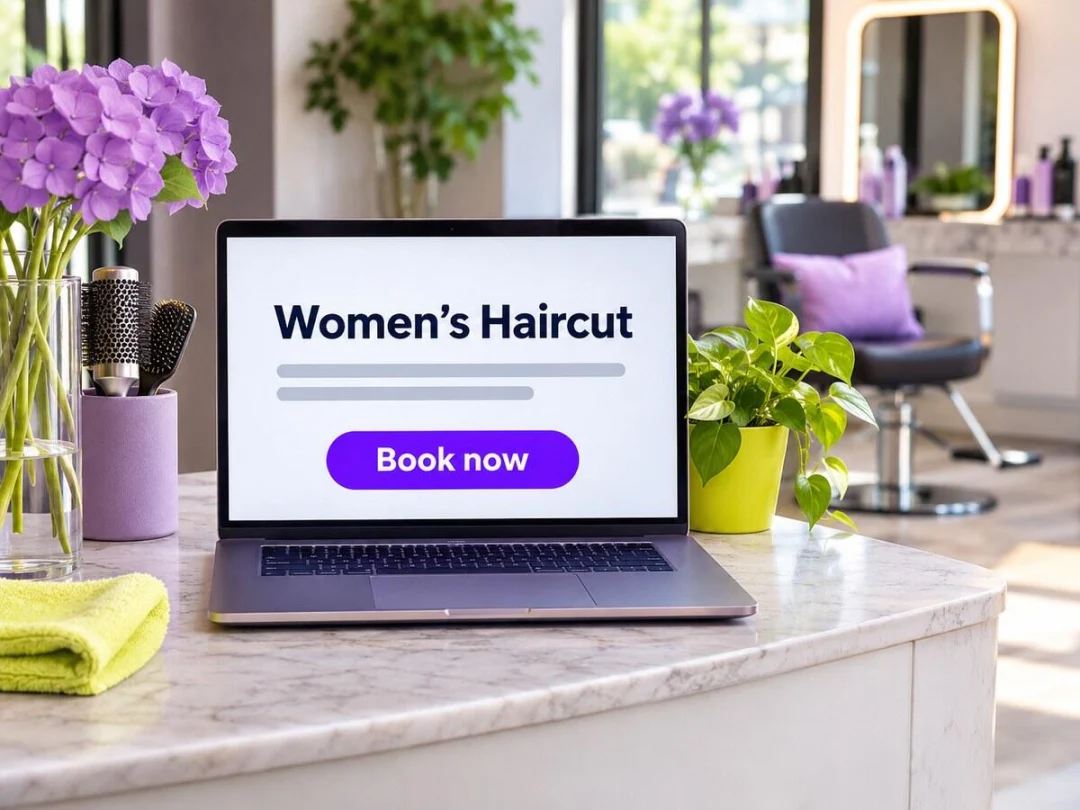
Mobile speed and clear contact / call CTAs
Test every page on a phone: tap-to-call, form delivery, booking, map. Aim for Core Web Vitals in the “good” range: LCP within 2.5 seconds, INP at 200 ms or less, CLS at 0.1 or less (75th percentile). Compress images, avoid layout jumps, and put the phone where thumbs land.
If you still need a simple site that matches your Google listing and a place to keep customer contacts in one inbox, some owners use an all-in-one modular setup like HugSales (Website module plus CRM) so the phone number, address, and lead form stay consistent while review requests and follow-ups live in the same workspace. The free steps in this guide work the same whether you build the site yourself or use a small-business tool—the ranking signals are the profile, the pages, and the citations, not the brand of the builder.
Step 3 — Build free citations in business directories
Local citations are mentions of your Name, Address, and Phone across the web. They are not the whole game, but accurate citations still support trust, secondary apps, and cleaner AI data. Consistency beats spammy mass submissions.
Priority free directories (GBP, Apple Business Connect, Bing Places, Yelp, Facebook)
Claim these first:
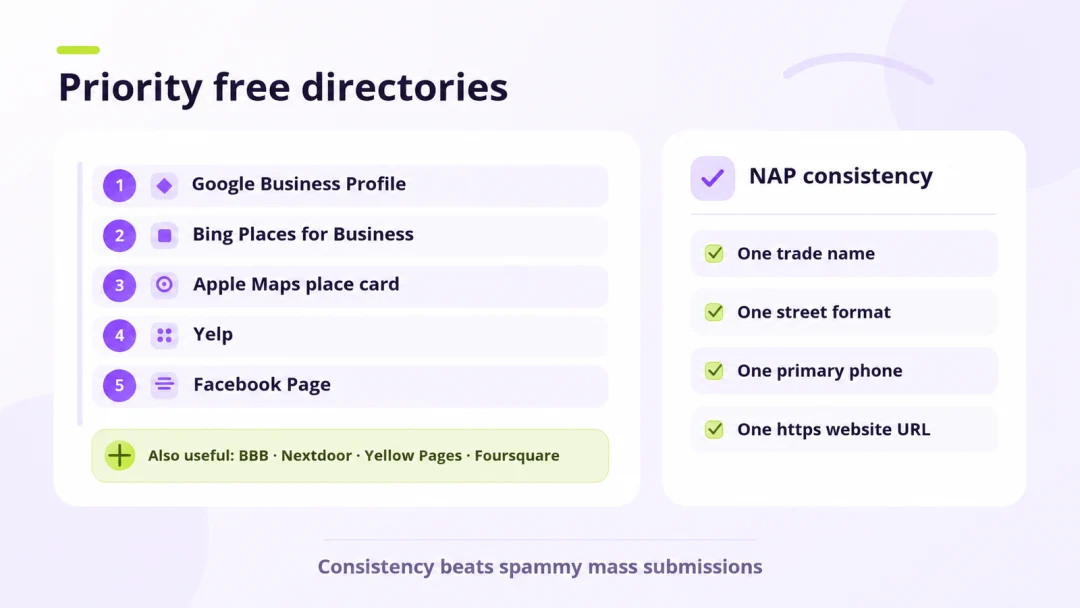
- Google Business Profile — free; covered above.
- Bing Places for Business — free at bing.com/forbusiness. Microsoft relaunched the owner experience in October 2025 with easier Google import and a recommendation tool.
- Apple Maps place card — historically Apple Business Connect; from April 2026 Apple folded Connect into free Apple Business at business.apple.com, migrating place-card data. Claim or add the location, verify, then add logo, photos, hours, and actions.
- Yelp — free to claim (ads are separate).
- Facebook Page — free Local Business page with NAP, hours, and posts.
- Also useful free claims: BBB profile (accreditation is paid), Nextdoor Business Page, Yellow Pages (YP.com) basic listing, and Foursquare (data feeds many partner apps).
Skip paid “list everywhere” packages.
NAP consistency checklist
- One trade name (same as GBP).
- One street format.
- One primary phone with country and area code.
- One https website URL.
- Hours that match holidays.
- Categories that do not contradict across sites.
- Update every listing the week you move or change numbers.
Example: a dentist cleans up conflicting citations in one afternoon
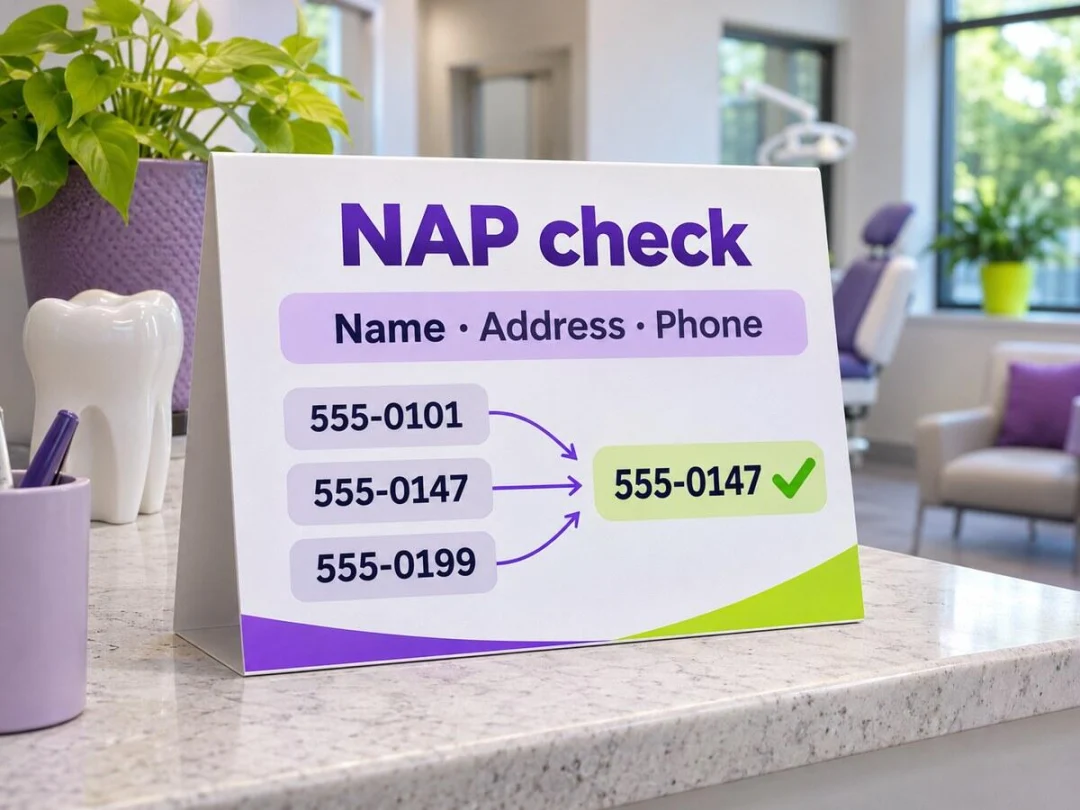
A dental office found three different phone numbers online: the correct main line on Google Business Profile, an old cell on Yelp, and a fax number that Facebook still showed as the primary contact. The office manager wrote the canonical NAP on a sticky note (trade name, suite format, main voice number, https website) and claimed or edited Bing Places, Apple Maps, Yelp, Facebook, and the local chamber listing in one pass. They removed the fax from public contact fields, matched holiday hours to the profile, and noted the date of each update. The website footer was the last stop so every directory pointed at the same facts. No paid “submit everywhere” package—just the major free claims customers actually open.
Industry-specific directories (how to find them)
Search “[your trade] directory” plus your metro, and ask peers which sites customers open. Home services, restaurants, and healthcare each have niche boards. Claim only what buyers use. Chamber and city guides can add helpful links when access is already free or paid for other reasons.
Step 4 — Get and reply to Google reviews (without breaking the rules)
Reviews drive prominence and conversion. Surveys of local consumers found 97% of consumers read local reviews and 71% use Google for them. The same research strand shows 47% of consumers will not use a business with fewer than 20 reviews—and 47% of small businesses sit under that line. 89% expect a reply; only about 51% of owners regularly respond. Businesses that ask tend to collect more reviews.
Ask at the right moment + direct review link / QR
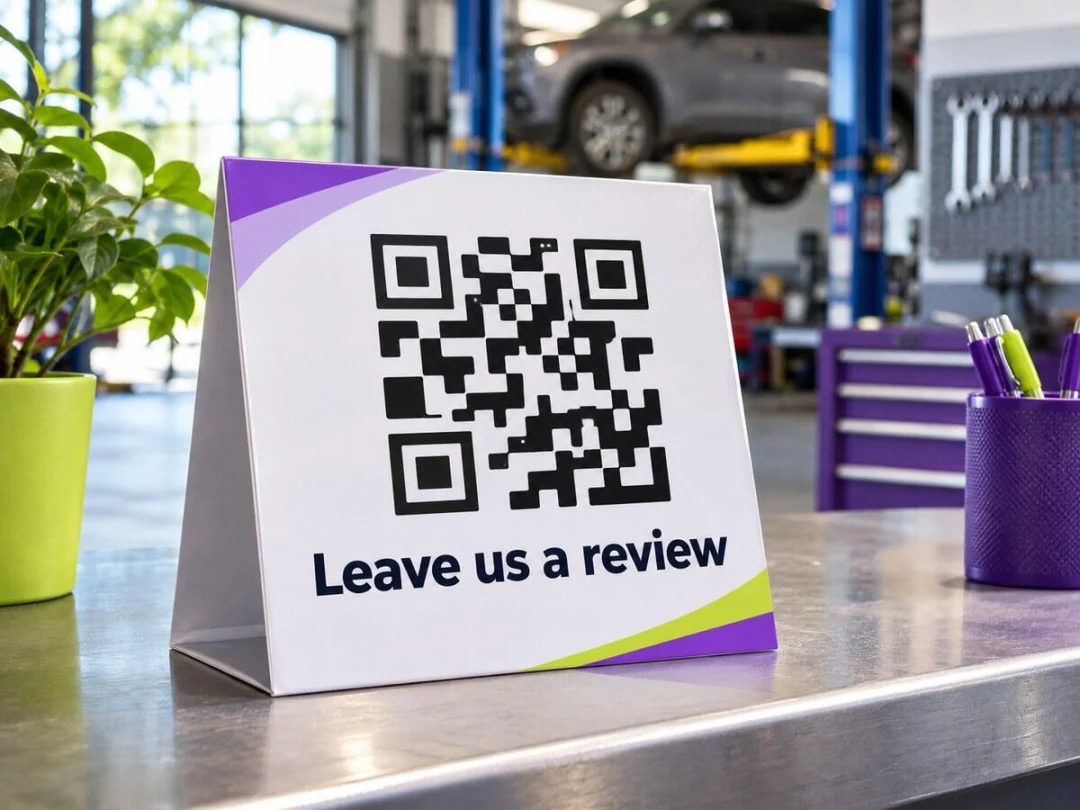
Ask after a successful job or appointment. Share Google’s review link or a QR code. Keep the ask short, optional, and identical for every genuine customer—do not filter for “only five-star people.”
Example: an auto shop’s review request after a completed job
After a successful brake job, the advisor thanked the customer at the counter, handed a small card with a QR code that opened the shop’s Google review form, and said the same short line they use for every completed visit: reviews are optional and help neighbors decide. No discount for a five-star rating, no “only if you loved it” filter. When a two-star review arrived the next week about wait time, the owner replied calmly, apologized for the delay, invited the customer to call the shop phone offline, and kept private repair details out of the public thread. The same week the shop posted one Google Update with a photo of the waiting area refresh—useful proof the place is maintained, not a sales pitch.
How to reply to positive and negative reviews
Thank positive reviewers specifically. For negatives, stay calm, acknowledge the issue, invite an offline fix, and never expose private details. Flag only clear policy violations; a custom display name alone is not proof of a fake.
What Google forbids (incentives for reviews)
Google prohibits incentives—payment, discounts, or free goods—for reviews, plus on-site pressure, discouraging negatives, or scripting exact wording. Fake or purchased reviews risk suspension and destroy trust.
Step 5 — Free local channels beyond Google
Nextdoor and local Facebook groups (help first, pitch second)
Claim a free Nextdoor Business Page and answer neighbor questions before pitching. In local Facebook groups, follow the rules—many ban cold spam. Helpful replies with a clear Page link outperform ads nobody asked for. Keep social NAP identical to Google.
Partnerships and referrals with non-competing local businesses
Swap referrals with complementary businesses (detail shop ↔ mechanic, florist ↔ photographer). Accurate partner-page mentions can help when they are natural. Community sponsorships you already planned can yield a link or mention as a bonus—not the sole reason to spend.
30-day free local SEO checklist
Week 1 — GBP: Find duplicates → claim or add → verify (prepare video if offered) → fix name, category, hours, phone, website, service area → upload real photos → set next holiday hours → test Call, Website, and Directions on a phone.
Week 2 — Site + NAP: Lock canonical NAP → improve core service pages with natural area language → add LocalBusiness structured data → fix mobile forms and tap-to-call → check Core Web Vitals → update your sitemap.
Week 3 — Directories: Claim Bing Places → Apple Maps place card → Yelp, Facebook, BBB, Nextdoor, YP, Foursquare → run the NAP checklist → add two industry directories customers actually use.
Week 4 — Reviews + community: Review-request script + QR → ask every completed job → reply to open Google reviews → one useful Nextdoor or Facebook answer → two GBP posts → note baseline calls, directions, and form leads.
FAQ
Is Google Business Profile free?
Yes. Creating, claiming, verifying, and managing a Google Business Profile is free for eligible businesses that meet customers face-to-face—at a storefront, at the customer’s location, or both. Online-only businesses without in-person contact are not eligible. You never pay Google to keep the listing; optional ads are separate and not required for Map Pack visibility.
How do I get more Google reviews without paying for them?
Ask after good experiences, share your direct review link or QR, and keep the ask optional and identical for every customer. Reply so people see you are active. Do not offer discounts, gifts, or payment—Google forbids incentives and selective “happy only” soliciting.
What are local citations / NAP consistency?
Local citations are online mentions of your business, ideally with matching Name, Address, and Phone. NAP consistency means one canonical format on your website, Google Business Profile, Bing, Apple Maps, and directories so customers and search engines trust the same facts.
Do business directories still help local SEO?
Yes, selectively. Accurate major listings still support discovery, trust, and cleaner map/AI data. Mass low-quality submissions help little and can create conflicting NAP. Prioritize Google, Bing, Apple, Yelp, Facebook, and a few niche or chamber sites your customers use.
How can I promote my business for free?
Practical ways to promote your business for free start with a finished Google Business Profile, matching website NAP and service pages, claimed free directories, review requests and replies, and helpful posts on Nextdoor and local Facebook groups. Add non-competitor referrals. Skip paid ads until that foundation is accurate and staffed.
What is the Local Pack and why does it matter for small businesses?
The Local Pack (Map Pack) is the map-and-listings block Google shows for many nearby searches. It often sits above regular links and drives calls and direction taps. For classic “near me” queries it still appears far more often than AI Overviews, so a complete, verified Google Business Profile remains essential.
Conclusion — start with GBP this week
Free local SEO for small business is mostly discipline: one accurate Google Business Profile, one matching website, a short citation list, and a steady review habit. You do not need a media budget to become findable—you need ownership of the listing, hours that are true this holiday, and pages that answer what your city asks. Claim or verify your profile this week, open the public listing on your phone, and fix the first broken detail you find. Everything else in this checklist stacks on that source of truth.