
CRM & Scheduling Software for Auto Repair Shops
HugSales is CRM for auto repair shops and mobile mechanics who need scheduling, estimates, and invoices without buying a full shop-management suite. If you searched for auto repair shop software or auto shop software (and auto shop management software) and felt overwhelmed by parts matrices and labor guides you will not use this year, you are in the right place: we focus on CRM, appointments, and getting paid—plus a path to a simple site when you need one.
Keep bays full and customers informed
Running a busy shop means juggling calls, walk-ins, and “is my car ready?” messages. Auto repair software often tries to replace your entire bay operation. HugSales takes a narrower angle: auto repair shop CRM and scheduling so owner-operators and small teams can book work, track the customer, and send clear paperwork—without pretending to be Tekmetric-class shop management.
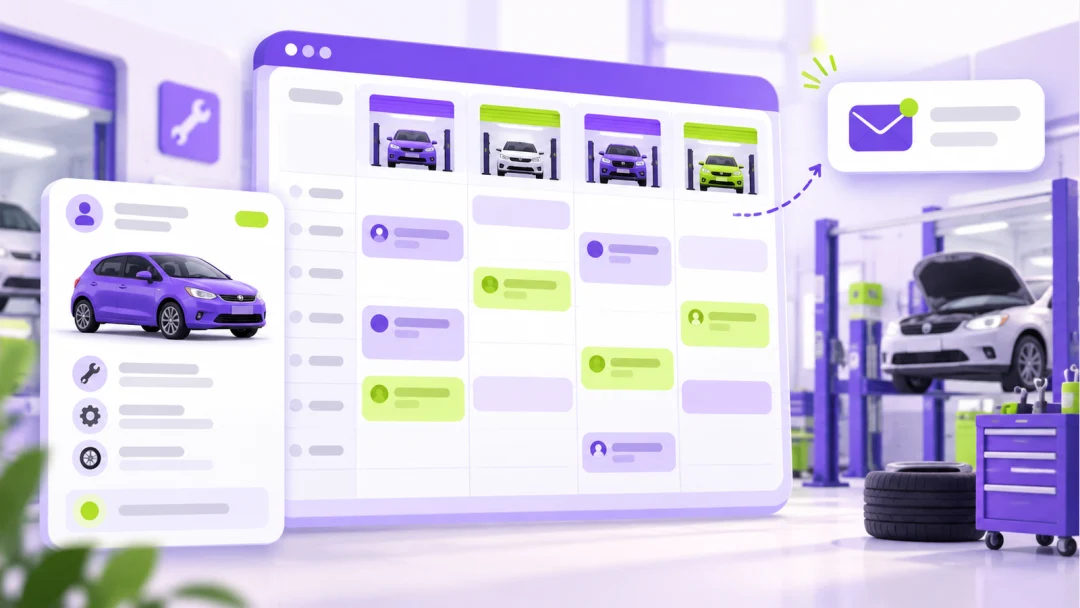
Appointment scheduling that fits the shop floor
Auto repair shop appointment scheduling software should protect bay time and field routes. Book service appointments, see the day at a glance, and reduce double-booking. Mechanic shop software does not have to be complicated to be useful: a reliable calendar and customer profile beat a binder and a whiteboard.
Estimates and invoices customers actually pay
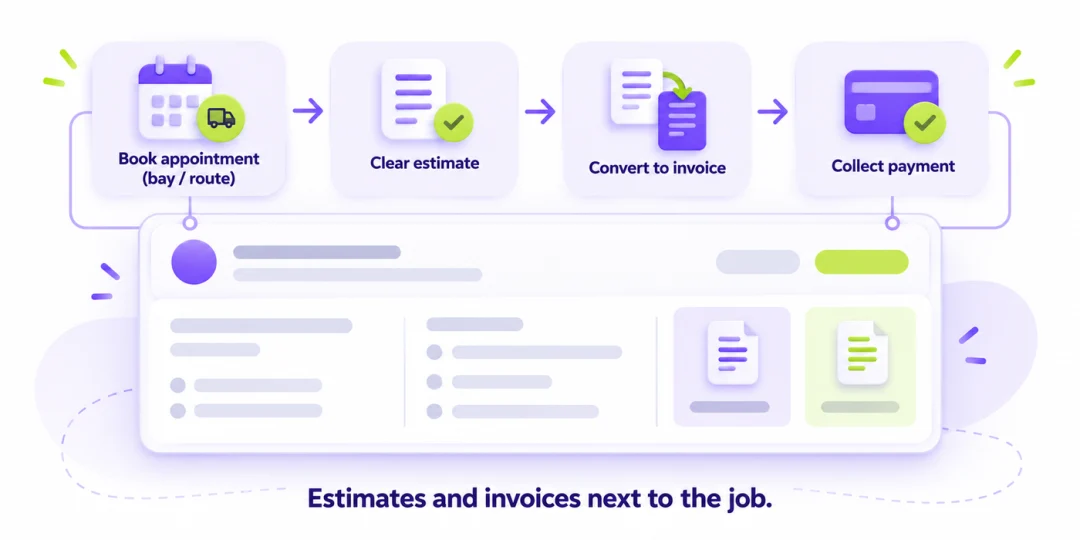
Auto repair estimate and invoice software belongs next to the job—not in a separate login you forget to open. Send clear estimates, convert to invoices, and collect payment as part of the same client record. For deeper finance workflows (deposits, reminders), add the Finance module.
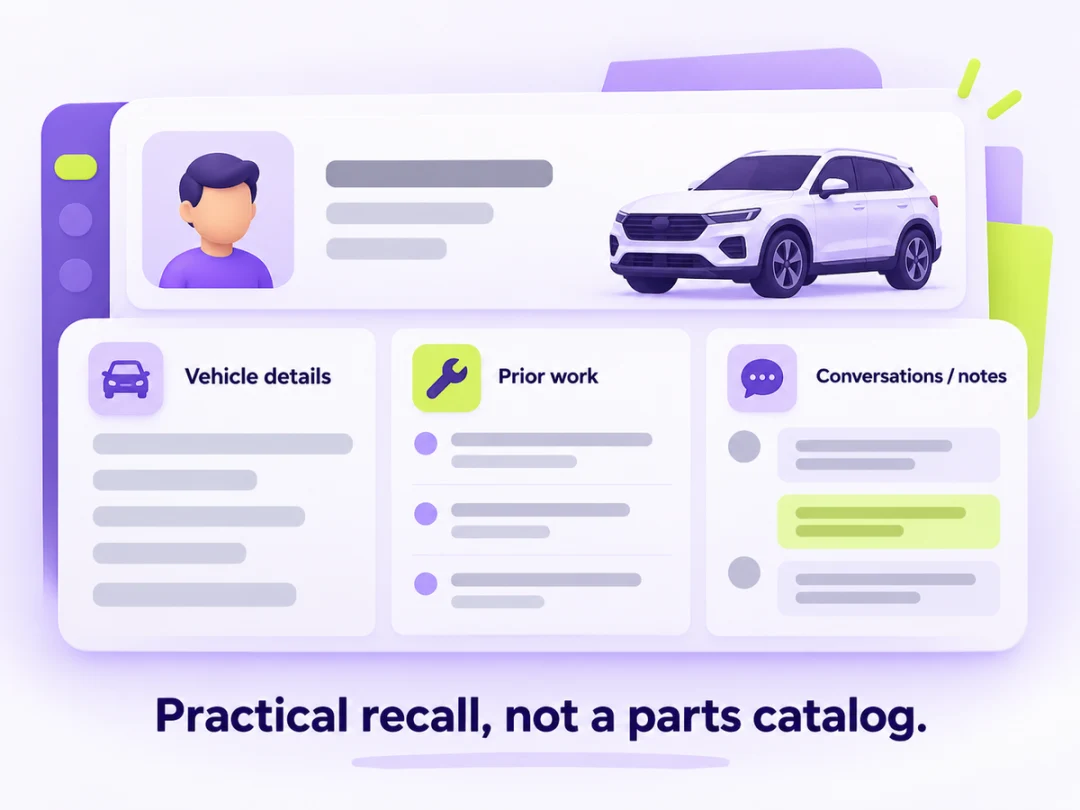
Service history in one client profile
Store vehicle details, prior work, and conversations in one place. When the same customer returns, you are not reconstructing history from text threads. That is everyday CRM for auto repair shops—practical recall, not a parts catalog.
Customer updates without phone tag
Customers want progress without calling every hour. Keep them informed with clear status messages so your front desk is not stuck on hold music.
Email updates (baseline)
Email status updates are the baseline way to tell customers what is done, what is waiting on parts, and when pickup is realistic. Fewer “any news?” calls means more wrench time.
Text updates
SMS / text status updates for auto repair are valuable when your messaging channel is connected and approved for your account. We do not treat SMS as a guaranteed live channel on this page—confirm availability when you try the product. Until then, plan on email updates and in-CRM notes.
Review follow-ups
After a completed job, a simple follow-up asking for a review helps local reputation. Where review-request automation is enabled for your workspace, HugSales can prompt that follow-up so it is not left to memory. Ask when you try the product which automations apply to auto shops today.
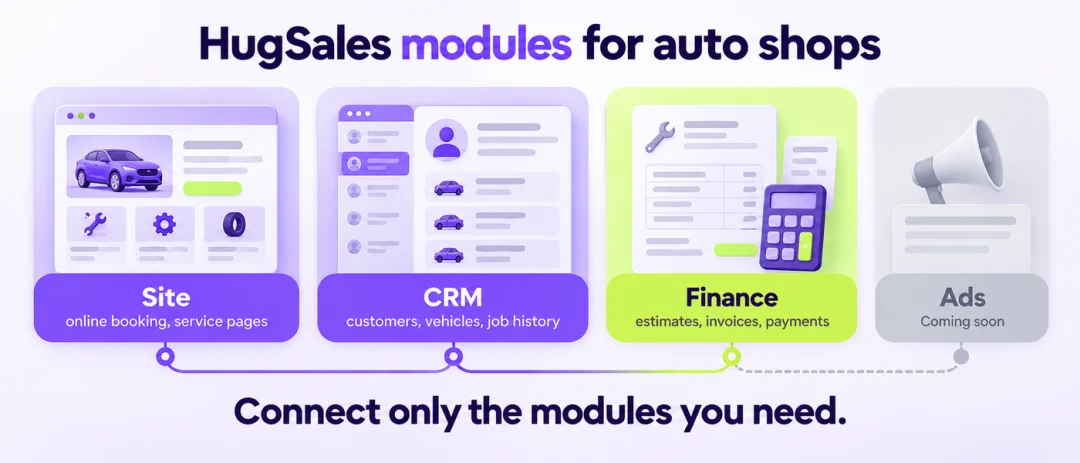
Repair shop software searches often lead to heavy platforms. HugSales is modular: pay attention to the stage you are in, not an everything plan.
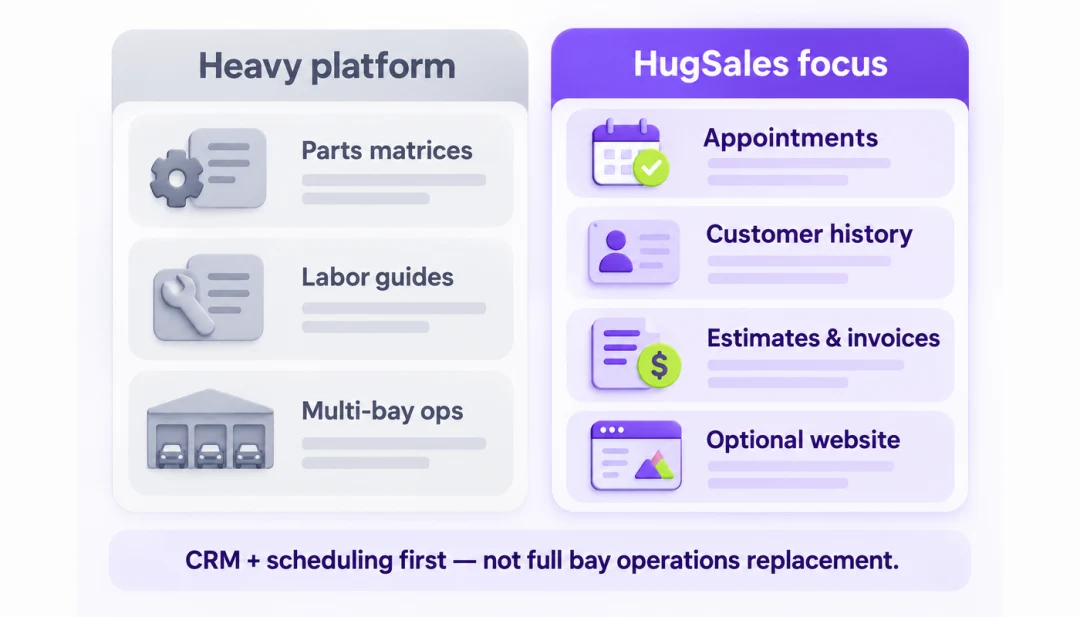
That difference matters. Heavy shop-management platforms shine when you need deep parts catalogs, labor guides, and multi-bay operations tooling. Many independents and mobile mechanics need something else first: a reliable place for appointments, customer history, estimates, and invoices—plus optional website presence—without months of setup.
HugSales auto repair shop software positioning is intentional: CRM and scheduling first, finance when you bill more, growth tools when the pipeline needs structure. You can still keep specialized bay tools alongside HugSales if your shop requires them.
For mobile mechanics, the same idea applies to routes and job windows. The calendar is not decoration—it is how you protect productive hours. When scheduling lives next to CRM notes, the tech (or you) arrives knowing what was promised last visit. Online booking can reduce phone tag for routine services when you choose to offer it.
Customers trust clear paperwork. Vague we-will-figure-it-out quotes create callbacks and charge disputes. Keeping estimate → invoice on the same profile as the vehicle notes helps you explain what changed and why. History also helps upsell honestly: you remember what was deferred and what the customer declined last time.
How this differs from heavy shop management: we do not claim parts inventory matrices, OEM labor guides, or full bay operations replacement. Independents comparing auto shop software options should ask whether they need a full parts and labor platform this quarter, or clean appointments, customer history, and paid estimates first. When shops compare options, the deciding factor is often time-to-value: can the owner book tomorrow's jobs and send today's estimate without a multi-week implementation?
Independent shops and mobile techs also need customer communication that matches how people actually book: a clear phone number, a simple form, and a follow-up that references the vehicle—not a generic thanks-for-contacting-us. When the site inquiry lands in CRM with notes, the first reply can name the car and the concern. That is a small detail that builds trust before the appointment.
If you already run a specialized shop-management system for parts and labor, HugSales can still help on the customer-facing and cash-flow side: website presence, CRM follow-up, and Finance estimates and invoices that customers understand. Confirm fit when you try the product so you do not duplicate tools unnecessarily.
FAQ
Is HugSales full shop management (parts, labor matrix, comps)?
No. We position as CRM + scheduling + estimates/invoices (+ website). Choose dedicated shop-management tools if you need deep parts/labor operations.
Does it work for mobile mechanics?
Yes—the same appointment and client workflows help field routes, not only fixed bays.
Do you promise SMS on day one?
Email updates are the baseline. Text updates depend on messaging setup—confirm when you try the product.
Where are prices?
Not listed here. Try for free or wait for an approved pricing page.
How is this different from generic CRM?
Copy and workflows are aimed at service appointments, vehicle/client history, and getting estimates paid—not enterprise sales pipelines.
Can I add a simple website for the shop?
Yes—the Website module with CRM lets local discovery and inquiries feed the same workspace.
Should I add Finance right away?
If you already send estimates and invoices weekly, add Finance. If you mainly need appointments and client records first, begin with Website + CRM.
Do you support multi-location chains?
HugSales is aimed at independents and growing local shops first. Ask when you try the product about your specific layout.